EducationSoftwareStrategy.com
StrategyCommunity

Knowledge Base

Product

Community

Knowledge Base

TopicsBrowse ArticlesDeveloper Zone

Product

Download SoftwareProduct DocumentationSecurity Hub

Education

Tutorial VideosSolution GalleryEducation courses

Community

GuidelinesGrandmastersEvents
x_social-icon_white.svglinkedin_social-icon_white.svg
Strategy logoCommunity

© Strategy Inc. All Rights Reserved.

LegalTerms of UsePrivacy Policy
  1. Home
  2. Topics

KB202928: Some text boxes are not visible when running a document in MicroStrategy Analytics Enterprise 9.4.1.


Community Admin

• Strategy


SYMPTOM:
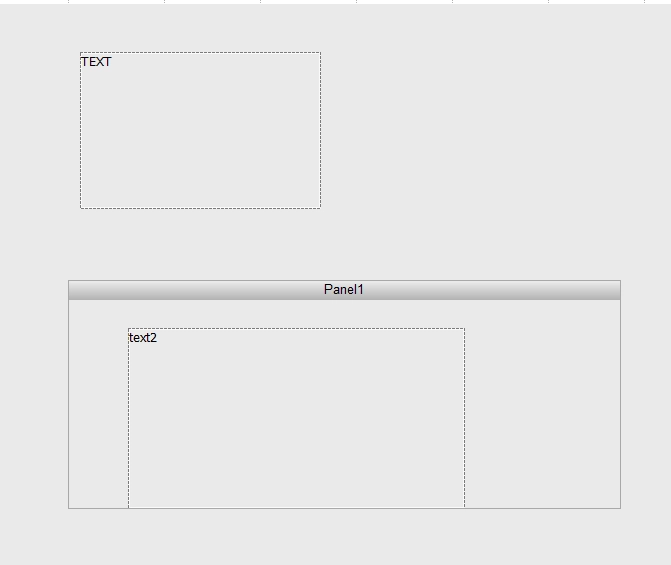
Text boxes that are visible in Design mode are not displayed when running a Report Services document in Strategy Analytics Enterprise 9.4.1.
In Design mode, the document looks as shown below:
ka04W000000OeA1QAK_0EM4400000025uV.jpeg

 
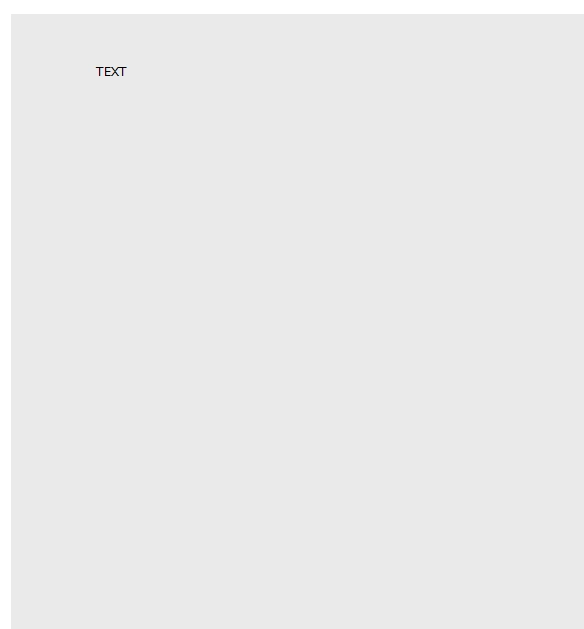
Once it is executed, “text2” does not appear:
ka04W000000OeA1QAK_0EM4400000025uZ.jpeg

 
CAUSE:
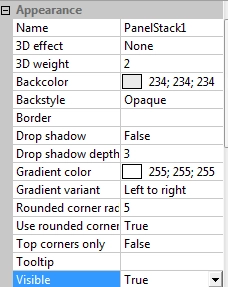
The text box is not displayed because the Panel Stack where it is contained has been configured as hidden. The visibility of a panel stack is determined based on the value of the property Visible, located under Appearance:
ka04W000000OeA1QAK_0EM4400000025ub.jpeg

This setting is also available at the text box level.
 
ACTION:
Change the setting value to False in order to display all the contents in the Panel Stack.


Comment

0 comments

Details

Knowledge Article

Published:

June 13, 2017

Last Updated:

June 13, 2017