SUMMARY:
This technical note documents an issue that occurs with Amazon Redshift Warehouses, when using a non-default user schema name, in Strategy Analytics Enterprise 9.4.1.
SYMPTOM:
A user tries to add a table to a Strategy project but is unable to view the table structure against warehouse database in Amazon Redshift:
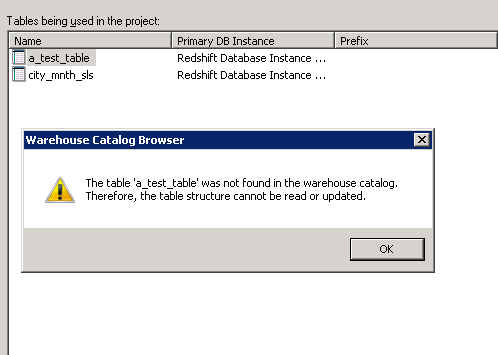
table structure error
The table 'table_name' was not found in the warehouse catalog. Therefore, the table structure cannot be read or updated.
view table namespace
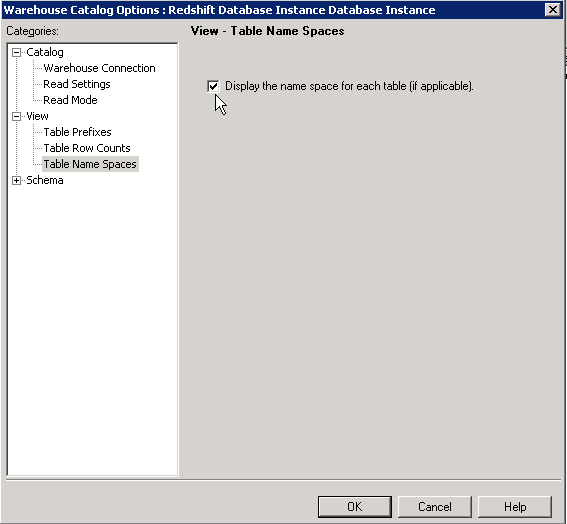
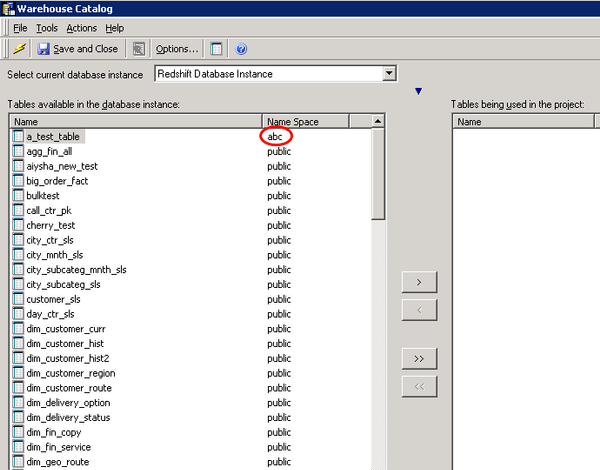
Click OK to save the change to the Warehouse Catalog Options and then check the list of available tables. The name space (or schema) will be displayed in the list of available tables. In the example below there are two different name spaces (schemas) available to this user.
A connection to the Amazon Redshift database can be made to verify the default search path used by the driver when the ODBC call to SQLColumns is made.
To check the default schema (or first in the search path) for an Amazon Redshift user, the following query can be executed from the Strategy DB query tool.
show search_path;
