SYMPTOM:
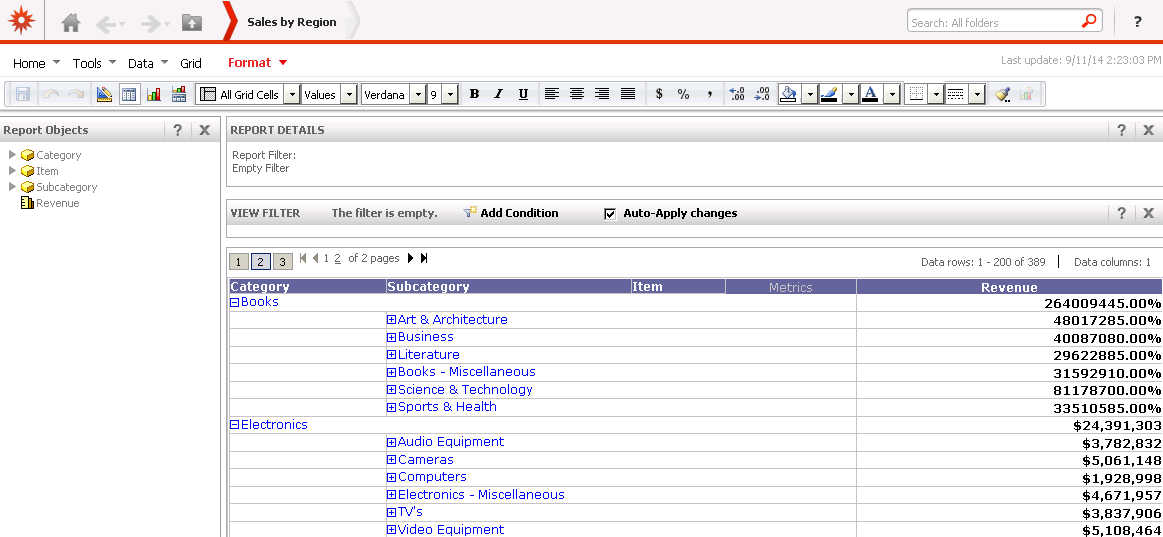
In Strategy Analytics Developer 9.4.1, once enable Outline Mode, the format defined in a threshold is not applied when the report is in collapse status. The format only applies on the values when all rows are expended. In higher level, only total value shows correctly.
STEPS TO REPRODUCE:
1. In Tutorial Project, add attributes Category, Subcategory, Item and metric Revenue into a report;
2. Enable Outline mode;
3. Set subtotal to Across Level on Category, Subcategory and Item;
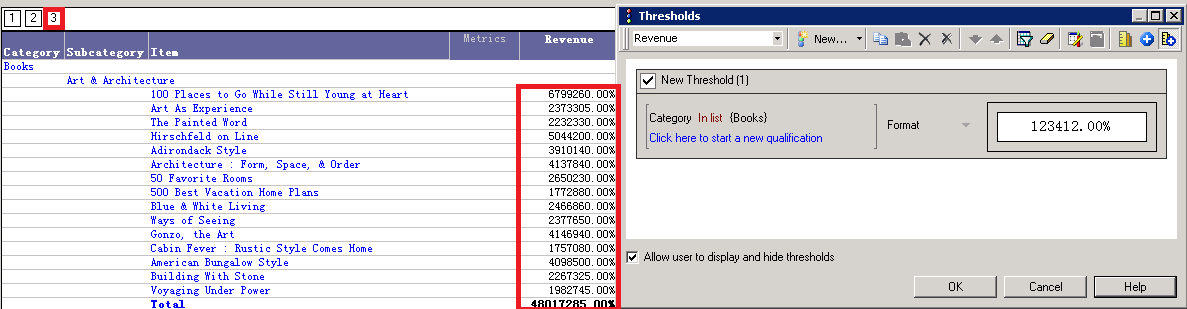
4. Create a threshold, condition is Category='Books', formatting both metric and total to "xx.xx%".
5. Notice that in Page 3 (the lowest level), the format works fine, as shown below:
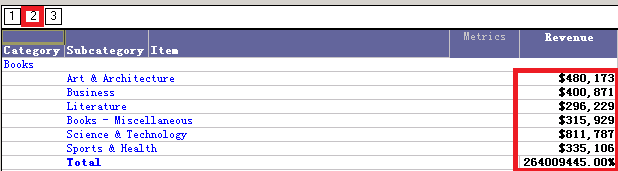
In Page 2, Only total format works fine, while the element in Books Category is formatted "$" instead of "%", as show below:
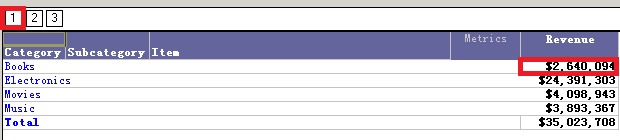
In Page 1, the Books Category is formatted "$" instead of "%", as show below:
CAUSE:
It is a known issue in Strategy Analytics Developer 9.4.1.
ACTION:
Currently this issue is still being reviewed for feasibility by our Technology team and it is not scoped for any upcoming scheduled Strategy release. Contact Strategy Technical Support for an update on the status of this issue.
WORKAROUND:
Please use Strategy Web instead, this issue does not occur on Web, as show below: