SYMPTOM
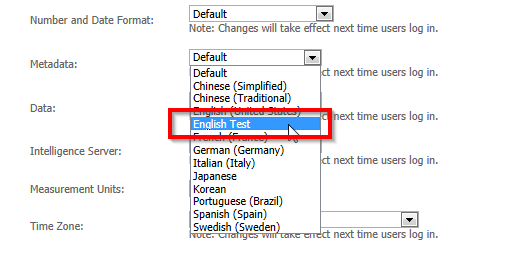
After adding a a new custom language to a Strategy project, the new language cannot be selected in the Strategy Web language preferences:
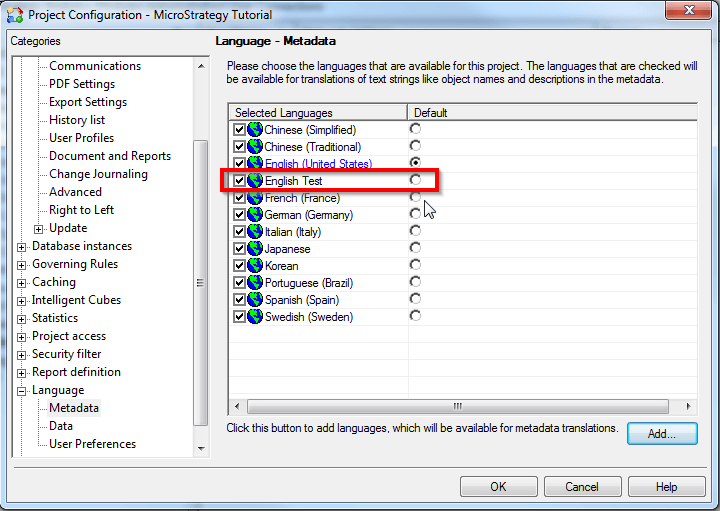
A new custom language has been added to Strategy Tutorial, based on English (US):
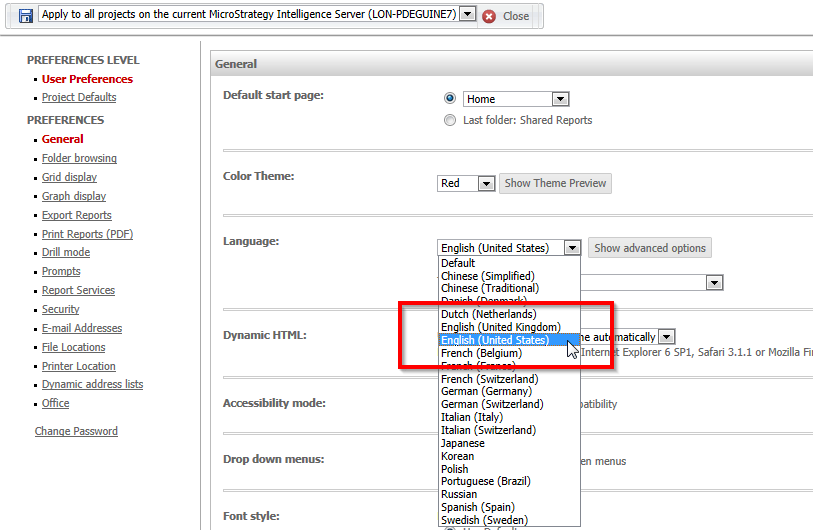
In Strategy Web > Preferences > General > Language, the newly created language is not available:
ACTION
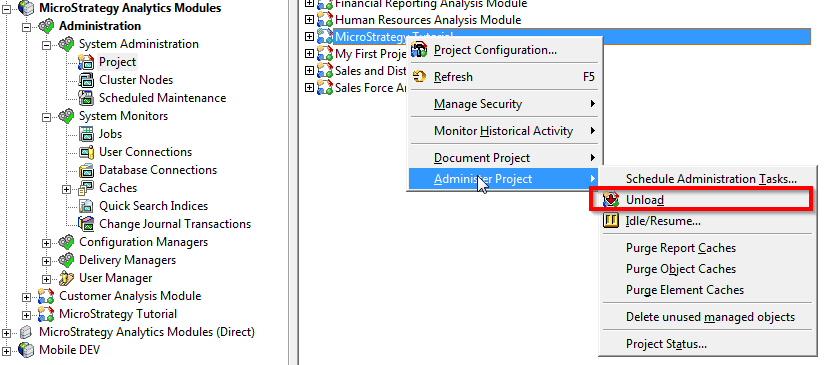
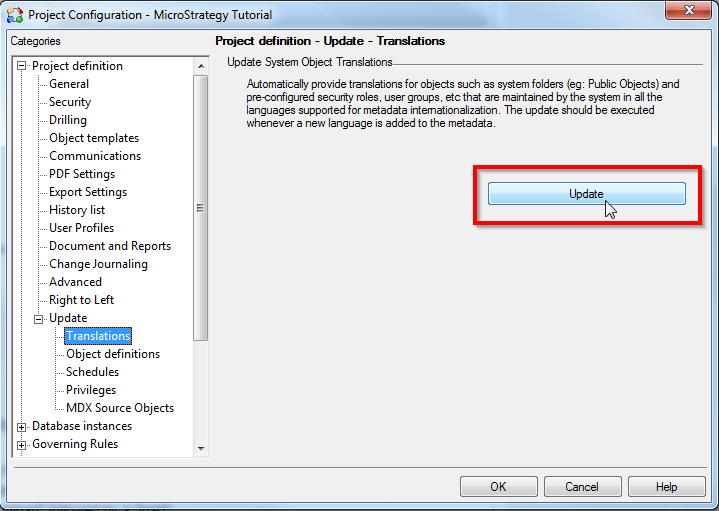
For the new language to be listed in Web preferences, it is required to perform the following steps:
Note: Above method will only work for custom languages that are based on languages supported out of the box. When adding languages that are unsupported, additional steps are required to customize Strategy Web. Refer to KB31468 - Adding a new locale to MicroStrategy Web 10.x for further information.
