EducationSoftwareStrategy.com
StrategyCommunity

Knowledge Base

Product

Community

Knowledge Base

TopicsBrowse ArticlesDeveloper Zone

Product

Download SoftwareProduct DocumentationSecurity Hub

Education

Tutorial VideosSolution GalleryEducation courses

Community

GuidelinesGrandmastersEvents
x_social-icon_white.svglinkedin_social-icon_white.svg
Strategy logoCommunity

© Strategy Inc. All Rights Reserved.

LegalTerms of UsePrivacy Policy
  1. Home
  2. Topics

KB20385: An Attribute that uses embedded HTML for a description form is displays HTML tags in Graph view in MicroStrategy Web 9.x - 10.x


Community Admin

• Strategy


When displaying an attribute form with embedded HTML in Graph view from MicroStrategy 9.x, the form appears as HTML tags instead of the attribute description as expected

SYMPTOM:
When displaying an attribute form with embedded HTML in Graph view from Strategy 9.x - 10.x, the form appears as HTML tags instead of the attribute description as expected.
 
STEPS TO REPRODUCE:
In Strategy Tutorial project, do the following:
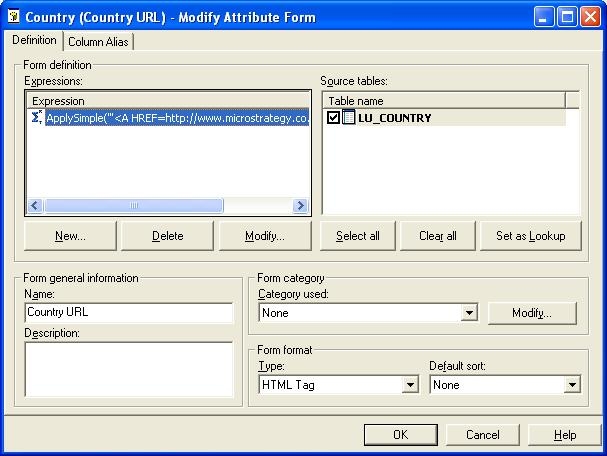
 

  • Create a new attribute form for the attribute Country
  • Define the new attribute form expression as:
    ApplySimple("'<A HREF=http://www.Strategy.com>' + #0+'</A>'", )
  • Set the Form Format Type to 'HTML Tag'
  • Save the form as 'Country URL'
ka04W000000OfjYQAS_0EM4400000028R0.jpeg
  • Update the Schema.
  • Create a new report in Strategy Web with the attribute Country and metric Revenue on the grid.
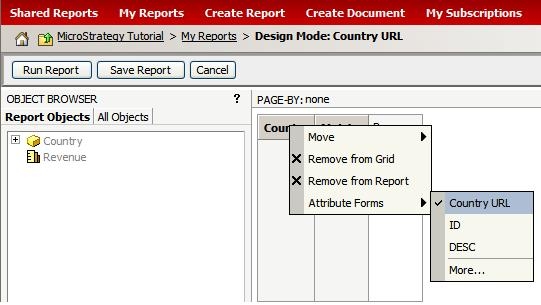
  • Select to show only the attribute form 'Country URL'
ka04W000000OfjYQAS_0EM4400000028Qw.jpeg
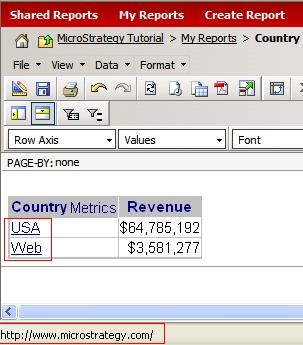
  • Execute the report and see the Country names appear as hyperlinks.
ka04W000000OfjYQAS_0EM4400000028Qy.jpeg
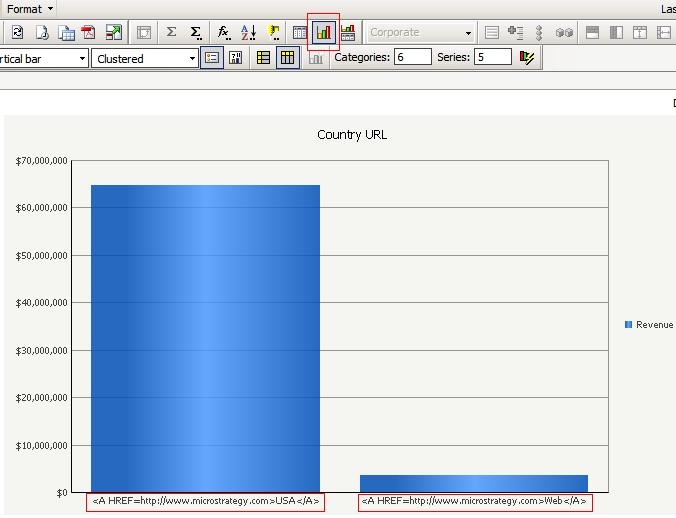
  • Select to display to graph view and notice that the Country names appear as HTML tags.
ka04W000000OfjYQAS_0EM4400000028R2.jpeg

CAUSE:
This is working as designed. The content of 'HTML Tag' form format is displayed in web without specific encoding under the grid. This causes the content of the 'HTML Tag' to be rendered as-is in graph view. 
 
ACTION:
To fix the issue, select another attribute form to display in addition to the HTML tag form. In this example, the DESC form will be selected.
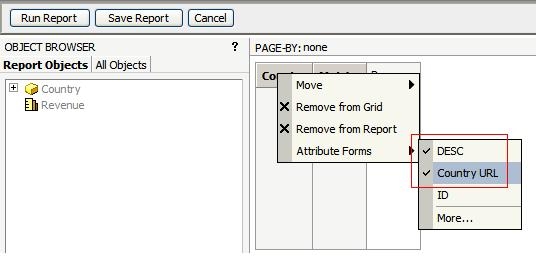
 

ka04W000000OfjYQAS_0EM4400000028Qv.jpeg

The Graph view now shows the Country name.
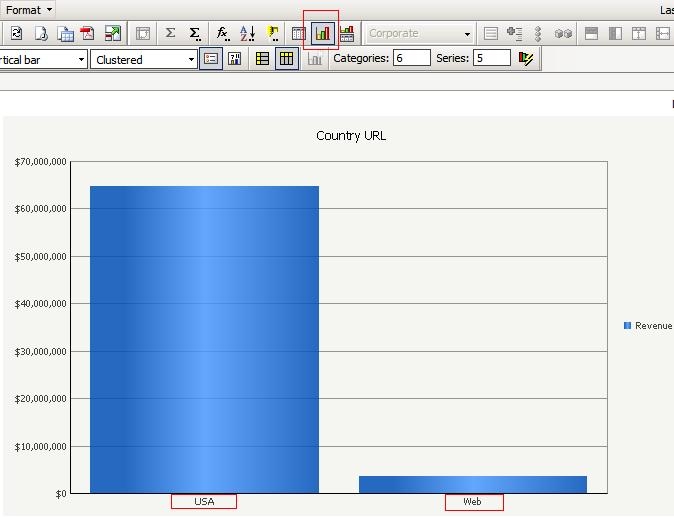
 

ka04W000000OfjYQAS_0EM4400000028Qu.jpeg

Comment

0 comments

Details

Knowledge Article

Published:

June 22, 2017

Last Updated:

March 24, 2018