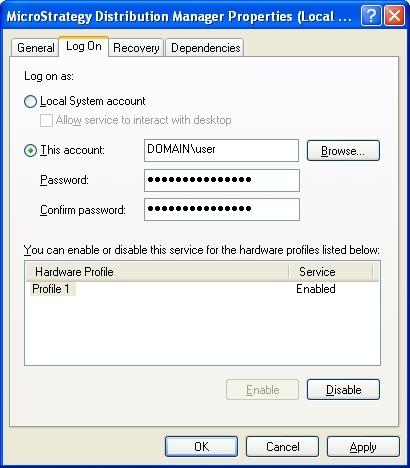
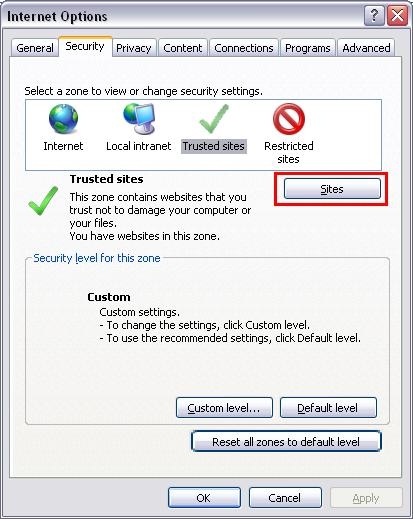
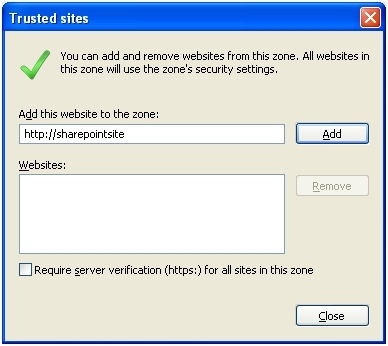
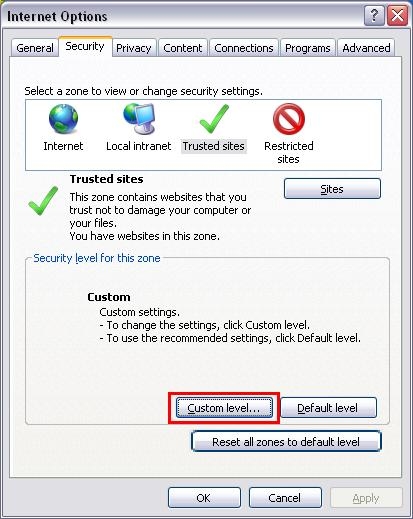
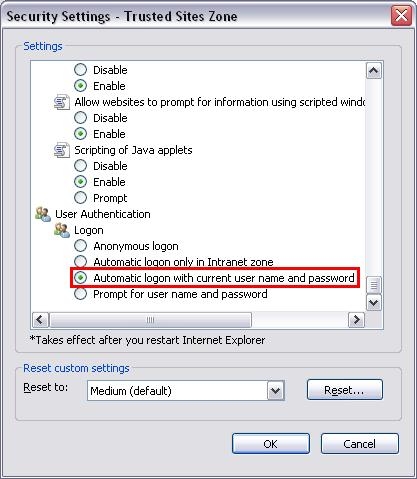
This document explains how to configure a Strategy Narrowcast server machine to recognize the UNC path (i.e. \\ComputerName\SharedFolder\Resource) of a web folder in the Microsoft SharePoint server. Please follow these steps:
On the Strategy Narrowcast server machine:
On the SharePoint Web server:
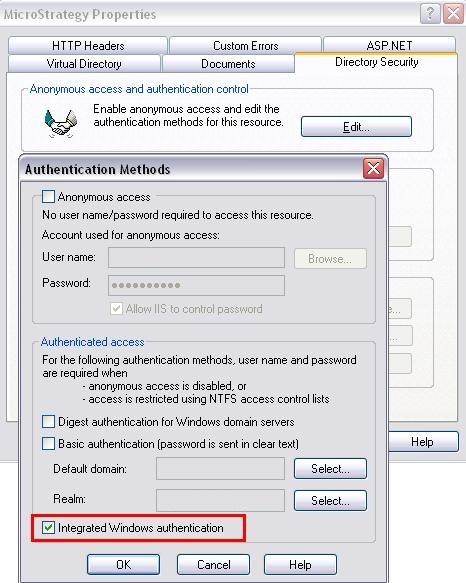
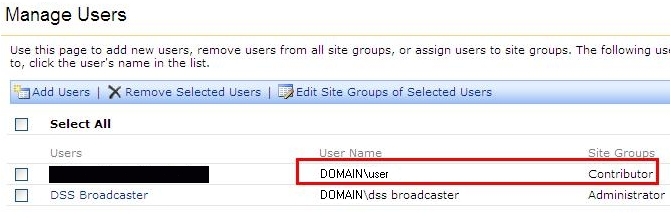
Now, users should be able to access the web folder by using UNC paths (ex. \\home.Strategy.com\tech_supp\SharedDocuments). Users can check if above steps are set up successfully by logging in to the Strategy Narrowcast Server machine as the user set up in the Strategy Distribution Manager service(in this case, it is "DOMAIN\user") and typing a UNC path to a web folder in an Internet Explorer browser. If it prompts for entering credentials, the setup was unsuccessful.
Note: Currently, Strategy Narrowcast cannot send a *.mht file to a SharePoint web folder. For more details, please refer to the tech note:
KB20739: In Strategy Narrowcast 9.x, a service fails to upload a MHT file to a Microsoft SharePoint 2007 web folder.
