Summary
This Technical Note describes an issue in Microsoft Excel using the Strategy Office 9.4.1 Add-on. This will occur even if the overall system memory has not been fully used and impacts only 32-bit Excel Applications. This has been classified as a defect by Strategy and there is currently one workaround.
Symptoms:
An end users runs a report with 200,000 or more rows in Excel using the Strategy Add-on. During the rendering step, they receive an error stating 'System.OutOfMemoryException' and their report does not fully render.
<li ver="2" ts="8/14/2014 12:54:17.22" cmp="Execution" evt="Error" mth="MSTROfficeInterface.Kernel.RetrieveResults" id="" mem="1,101,021,952" g0="8,388,608" g1="320" g2="1,048,133,184" loh="52,888,424">System Error - Failed to get report results: Exception of type 'System.OutOfMemoryException' was thrown.</li>
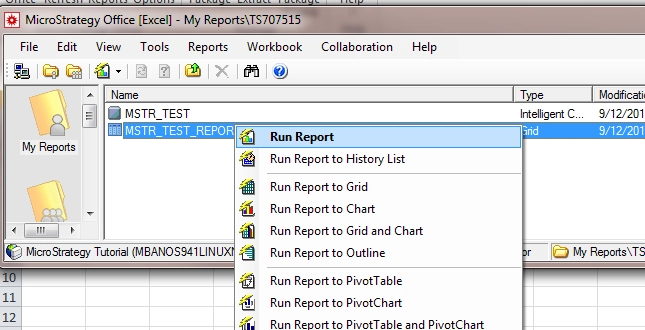
Error will be seen when rendering and will be displayed in logs as such:

Cause:
This has been classified as a defect by Strategy and is believed to be due to a current limitation in memory usage while using the 32-bit Strategy Office Add-on with Microsoft Excel.
Action:
Please contact Strategy Technical Support for an update on this issue.
Workaround:
This defect does have two workarounds.
1) End users can avoid this issue by using a 64-bit version of Microsoft Excel and Strategy Office Add-on.
2) End users can also use ‘Quick Grid’ to run the report without formatting.

Additional Troubleshooting:
If the workaround steps above do not resolve the issue, please consider calling Strategy Technical Support with the following information:
To Learn More:
To learn more about Strategy Office, please see the Strategy Office User Guide.
Disclaimer:
Third Party Software Installation: WARNING
The third-party product(s) discussed in this technical note is manufactured by vendors independent of Strategy. Strategy makes no warranty, express, implied or otherwise, regarding this product, including its performance or reliability.
Internal Reference Number: 925056
