SYMPTOM:
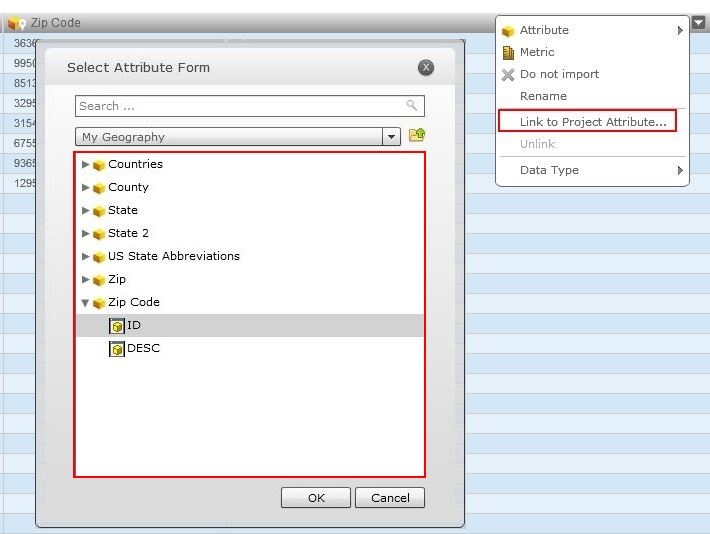
During the data import process in Strategy Web 9.4.1, a user can link an attribute to a project attribute, like shown below.
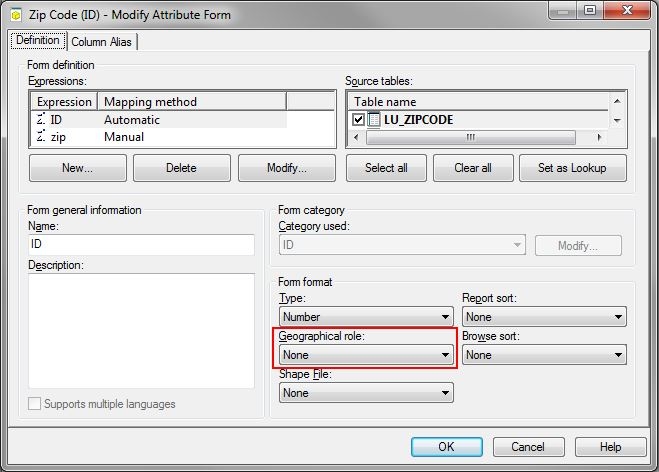
However, in Strategy Web 9.4.1 HF3, when the data import attribute is linked to a project attribute, the project attributes loses the geographical role and is reset to ‘None’ in the attribute editor, like shown below.
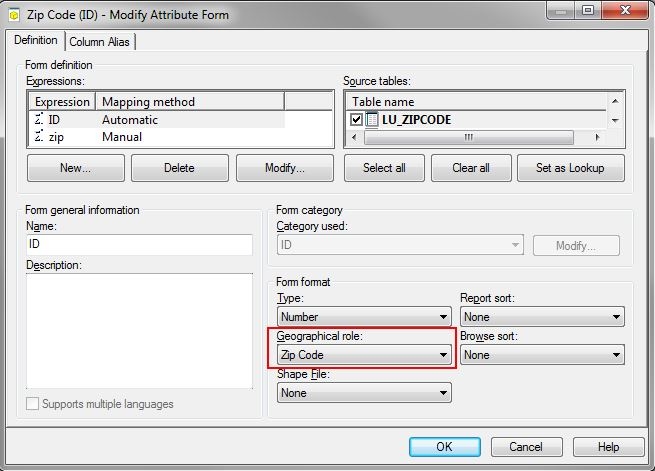
STEPS TO REPRODUCE:
In Strategy Tutorial:
CAUSE:
This is a known issue in Strategy Web 9.4.1 HF3, when linking a data import attribute to a project attribute with a geographical role.
ACTION:
Contact Strategy Technical Support for an update on the status of this issue.
WORKAROUND:
After mapping the import attribute to the project attribute, use Strategy Developer 9.4.1 HF 3 to manually set the geographical role back to its original state and update the schema.
