Summary:
This Technical Note describes how users can use Fuzzy Matching to search for partial phrases in Strategy Web 9.x. Fuzzy matching is perhaps most useful when used in conjunction with quotes, allowing the user to search multiple word phases.Fuzzy Matching can be implemented in Strategy Web and Desktop 9.0 and later.
What is Fuzzy Matching?
Fuzzy Matching is a tool that allows users to search through elements with a wildcard in Strategy Web. When a star (*) is placed within a search term, the search function will recognize the star as string of zero or greater unknown characters or spaces.
For example, the search term:
*te returns all available elements that end with “te”
te* returns all available elements that begin with “te”
*te* returns all available elements that contain the string “te”
t*e returns all available elements that begin with “t” and end with “e”
How can users search for multiple word phrases?
By default, Strategy recognizes spaces in the element search field as the Boolean OR operator. This can be troublesome when searching through thousands of elements that may contain long names.
For example, the search term:
and the sea returns all available elements that contain the strings “and” OR “the” OR “sea”
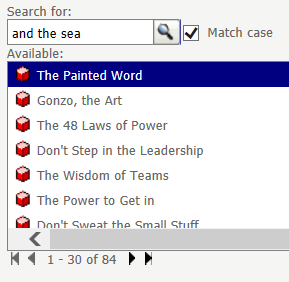
Furthermore, using double quotes will only return the correct element if searching for the entire element name.
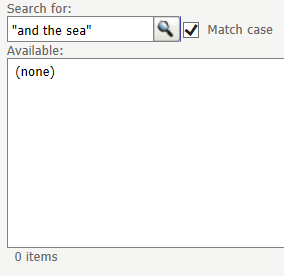
Fuzzy Matching can be used in conjunction with double quotes to search for multiple word phrases, where spaces are not recognized as boolean operators.
For example, the search term:
“*and the*” returns all available elements that contain the phrase “and the” surrounded by zero or more unknown characters or spaces.
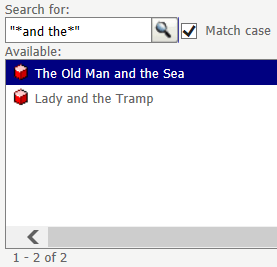
NOTE: Fuzzy matching with quotes is only known to work in Strategy Web, and will not return results in Strategy Desktop/Developer.
Video:
(Add video here)
Internal reference number: 957155
