Summary:
This issue has been known to occur after migrating the Strategy Web Server from Apache Tomcat to Microsoft IIS, and only impacts Strategy Web 9.x and later. It is not currently understood why this issue occurs, however steps to resolve the issue are simple and are available in this Article
Symptom:
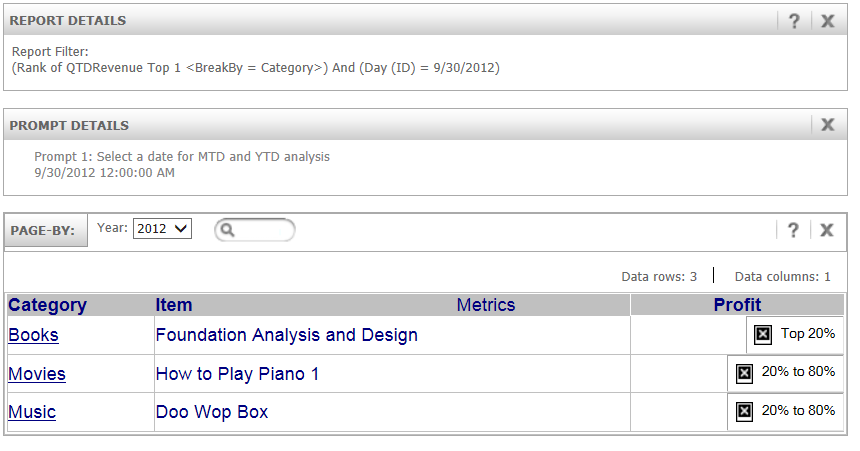
After migrating the Strategy Web Server from Apache Tomcat to Microsoft IIS, Quick Threshold images appear an X, when applied to a Metric.
Action:
Cause:
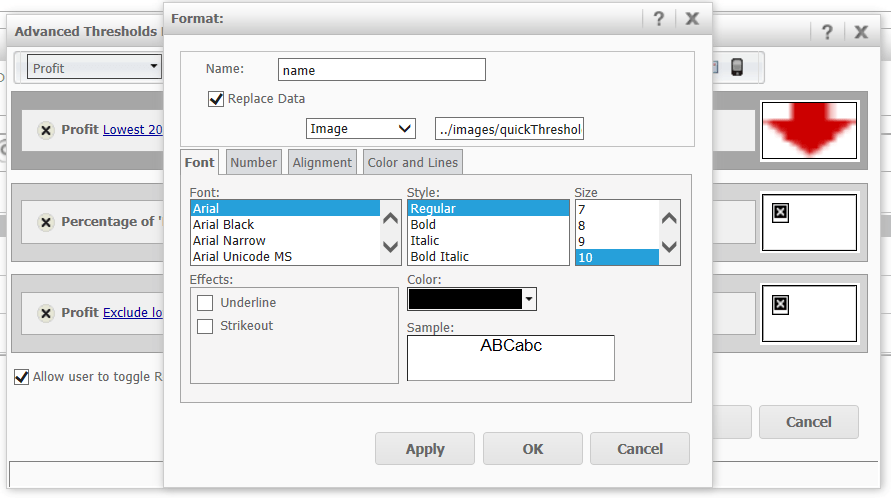
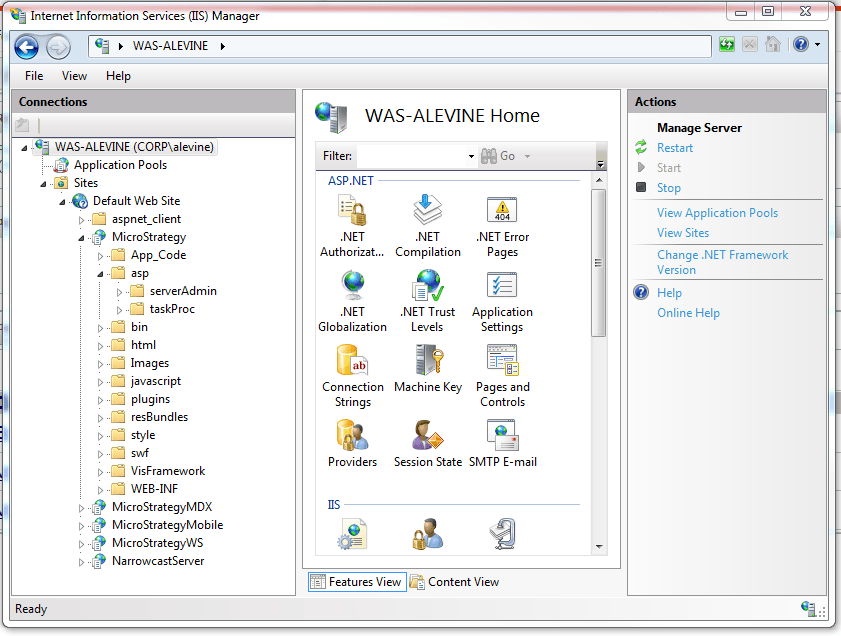
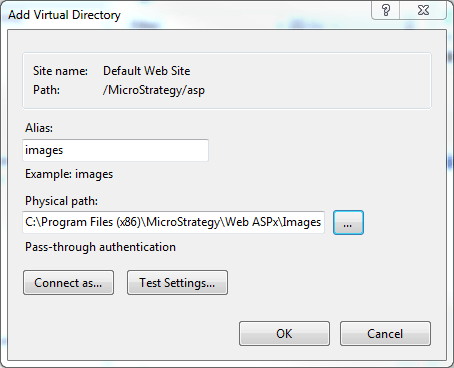
Upon installation of the Strategy Web Server, the shortcut to the Images folder was not created in the asp folder. This will not allow the Web Server to resolve the relative paths of images residing in that folder. Users may also experience a red X in the place of custom images placed in Documents executed in Strategy Web. In is not currently understood why the shortcut is not created in these rare instances.
Additional Troubleshooting Steps:
If the workaround steps above do not resolve the issue, please consider calling Strategy tech support with the following information of troubleshooting already done:
Third Party Software Installation: WARNING:
The third-party product(s) discussed in this technical note is manufactured by vendors independent of Strategy. Strategy makes no warranty, express, implied or otherwise, regarding this product, including its performance or reliability.
