EducationSoftwareStrategy.com
StrategyCommunity

Knowledge Base

Product

Community

Knowledge Base

TopicsBrowse ArticlesDeveloper Zone

Product

Download SoftwareProduct DocumentationSecurity Hub

Education

Tutorial VideosSolution GalleryEducation courses

Community

GuidelinesGrandmastersEvents
x_social-icon_white.svglinkedin_social-icon_white.svg
Strategy logoCommunity

© Strategy Inc. All Rights Reserved.

LegalTerms of UsePrivacy Policy
  1. Home
  2. Topics

KB205186: How to make grid in the exported PDF show within one page if the grid in a document is wide in MicroStrategy Analytics Web 9.4.1.


Community Admin

• Strategy


Grid in the exported PDF will run off the page if the grid in a document is wide in Strategy Analytics Web 9.4.1. 
STEPS TO REPRODUCE:
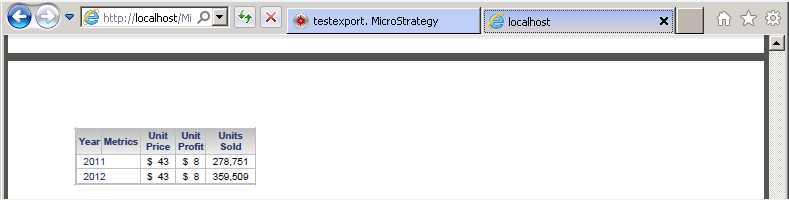
1. Create a report with several columns. Create a document based on the report.
2. Run the document in Web.
3. Export the document to PDF. The grid will run off the page in the exported PDF file.

ka04W000000OeCSQA0_0EM4400000029Kh.jpeg
ka04W000000OeCSQA0_0EM4400000029Ke.jpeg

 
ACTION:
Enable "Fit to 1 page(s) wide by 1 tall" option in Page Setup->Page ->Scaling, as shown below:

ka04W000000OeCSQA0_0EM4400000029KY.jpeg

 
Export again, now the grid is within one page in the exported PDF file, as shown below:

ka04W000000OeCSQA0_0EM4400000029Kc.jpeg

Comment

0 comments

Details

Knowledge Article

Published:

June 12, 2017

Last Updated:

June 12, 2017