Following data loads, some Strategy administrators elect to run scheduled jobs to update report caches. Under normal report executions or history list executions, the existing report cache will be invalidated as soon as the schedule request is submitted - preventing any cache hit while the report runs against the warehouse. In certain scenarios it is desirable to have the old cache remain valid with old data until the update job completes rather than have no data while the update job runs. This is particularly true with long-running reports.
To accommodate these scenarios, Strategy has the 'Cache Update' subscription type in Strategy Developer. When scheduling a report in Developer, users have the option to choose the 'Cache Update' option when right mouse clicking on a report.
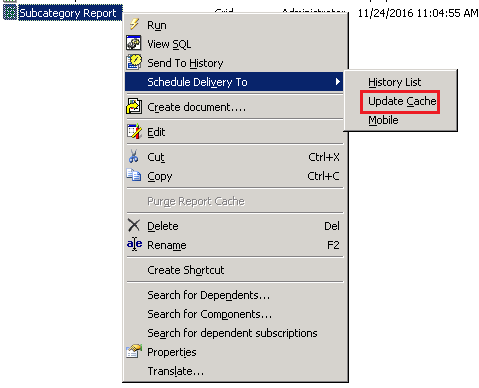
When the Cache Update scheduled job executes, any existing caches will remain valid until the job successfully returns from the warehouse, at which point the cache is updated.
