EducationSoftwareStrategy.com
StrategyCommunity

Knowledge Base

Product

Community

Knowledge Base

TopicsBrowse ArticlesDeveloper Zone

Product

Download SoftwareProduct DocumentationSecurity Hub

Education

Tutorial VideosSolution GalleryEducation courses

Community

GuidelinesGrandmastersEvents
x_social-icon_white.svglinkedin_social-icon_white.svg
Strategy logoCommunity

© Strategy Inc. All Rights Reserved.

LegalTerms of UsePrivacy Policy
  1. Home
  2. Topics

KB20540: New Feature in MicroStrategy 9.4.1 – Document Cache Monitor


Community Admin

• Strategy


This knowledge base article describes a new feature in MicroStrategy 9.4.1 – Document Cache Monitor

INTRODUCTION
 
In Strategy 9.4.1, users can cache their entire formatted report services document output in different formats through the new feature called Report Services Document Caching. For additional information on this new feature, refer to the following Strategy Knowledge Base Document:
 
KB20538 - New Feature in Strategy 9 - Report Services Document Caching
 
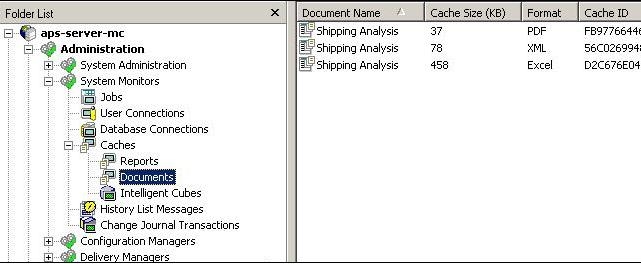
Prior to Strategy 9.4.1, there was only a report cache monitor. As a result of introducing Report Services Document Caching, a new monitor is also added in Strategy 9.4.1 for document caches. The underlying dataset caches can still be seen in the report cache monitor but the document cache itself will be in document cache monitor in whatever format the user chose to execute/export the document.
 

ka04W000000ObWmQAK_0EM440000002Eal.jpeg

 
Report Services Document Cache Monitor Options
Within the Document Cache Monitor, following options are available for document caches:
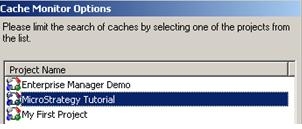
 

  • Filtering By Project
ka04W000000ObWmQAK_0EM440000002Eav.jpeg
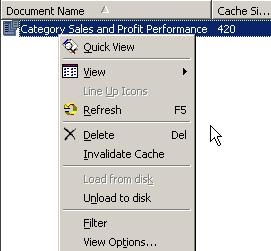
  • Invalidate/Delete/Load from disk/unload to disk: By Right Mouse Clicking on the cache from the cache monitor, the administrator can invalidate, delete, load and unload a document cache.
ka04W000000ObWmQAK_0EM440000002Eay.jpeg
  •  
    A document cache in invalidated when any of the following happens:
     
    • Manually Invalidate the cache from Cache Monitor
    • Scheduled Invalidation
    • Version ID of any application object used in the document changes
    • Document Cache Expires
    • Any of the underlying dataset cache becomes invalid
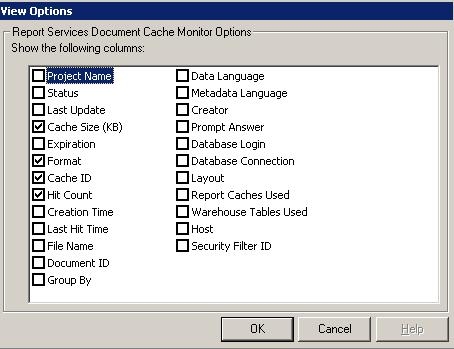
  • Document Cache View Options: Administrators can also change the information they wish to see for their document caches. The following cache browsing options are available for document caches:
ka04W000000ObWmQAK_0EM440000002Eax.jpeg

This issue has been logged as KB ID: 417616


Comment

0 comments

Details

Knowledge Article

Published:

June 2, 2017

Last Updated:

September 29, 2018