EducationSoftwareStrategy.com
StrategyCommunity

Knowledge Base

Product

Community

Knowledge Base

TopicsBrowse ArticlesDeveloper Zone

Product

Download SoftwareProduct DocumentationSecurity Hub

Education

Tutorial VideosSolution GalleryEducation courses

Community

GuidelinesGrandmastersEvents
x_social-icon_white.svglinkedin_social-icon_white.svg
Strategy logoCommunity

© Strategy Inc. All Rights Reserved.

LegalTerms of UsePrivacy Policy
  1. Home
  2. Topics

KB20542: New Feature from MicroStrategy 9 up – Report Level Cache Settings


Community Admin

• Strategy


From MicroStrategy 9 up, users can see new report level cache settings, which provide finer control over cache invalidation & cache update. They also allow users to maintain Daily, Weekly and Monthly caches.
INTRODUCTION
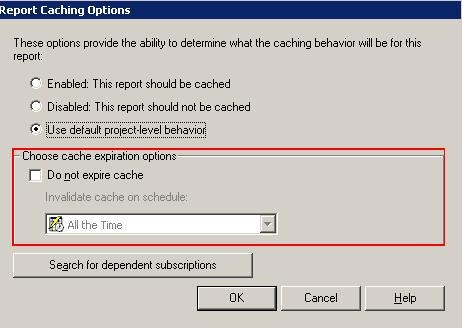
From Strategy 9 up, users can see new report level cache settings as seen below, which provide finer control over cache invalidation & cache update. They also allow users to maintain Daily, Weekly and Monthly caches.
 

ka04W000000Ogl6QAC_0EM440000002B9H.jpeg

 
These settings are described below:
 

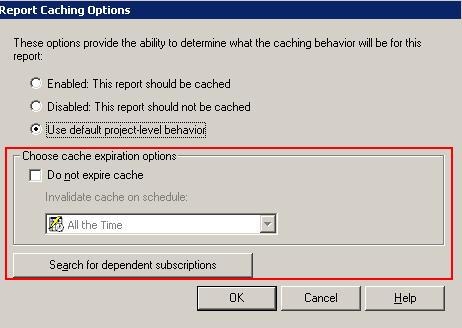
  • Ability to specify report cache invalidation per report. This setting when enabled applies to all cache instances of that particular report. This dialog box can be accessed from the report editor via Data ->Report Caching Options
ka04W000000Ogl6QAC_0EM440000002B9I.jpeg
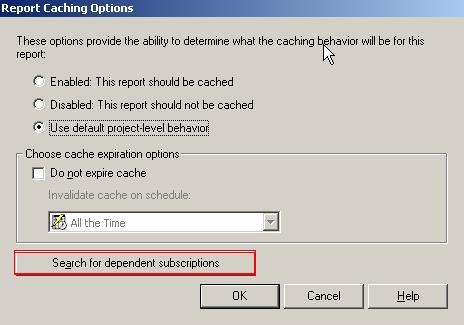
  • Ability to modify all subscriptions for the Report via the setting "Search for dependent subscriptions." This dialog box can be accessed from the report editor via Data ->Report Caching Options ->Search for dependent subscriptions
ka04W000000Ogl6QAC_0EM440000002B95.jpeg
  •  
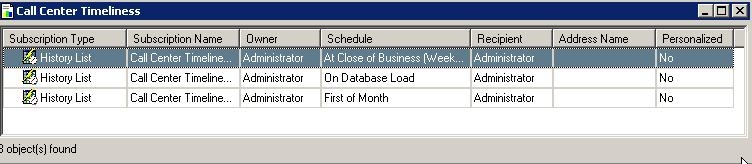
    Once the user clicks on the above option the following editor can be seen showing all the subscriptions for one particular report (in this case Call Center Timeliness)
     
ka04W000000Ogl6QAC_0EM440000002B94.jpeg

Comment

0 comments

Details

Knowledge Article

Published:

June 11, 2017

Last Updated:

June 11, 2017