EducationSoftwareStrategy.com
StrategyCommunity

Knowledge Base

Product

Community

Knowledge Base

TopicsBrowse ArticlesDeveloper Zone

Product

Download SoftwareProduct DocumentationSecurity Hub

Education

Tutorial VideosSolution GalleryEducation courses

Community

GuidelinesGrandmastersEvents
x_social-icon_white.svglinkedin_social-icon_white.svg
Strategy logoCommunity

© Strategy Inc. All Rights Reserved.

LegalTerms of UsePrivacy Policy
  1. Home
  2. Topics

KB20546: ‘Setup has detected MicroStrategy components running: MicroStrategy Service Manager’ message appears while performing a modify, repair or uninstall of MicroStrategy 9.x & 10.x on Windows


Community Admin

• Strategy


SYMPTOM:
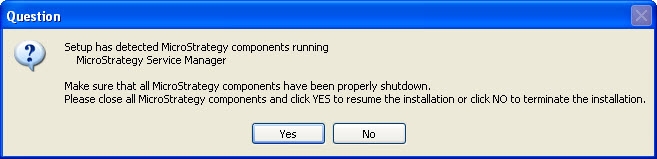
While attempting to modify, repair or uninstall a Strategy 9.x or 10.x installation on Windows, the following message appears:
 

ka04W000000OeIsQAK_0EM440000002HVC.jpeg


Setup has detected Strategy components running
Strategy Service Manager
Make sure that all Strategy components have been properly shutdown.
Please close all Strategy components and click YES to resume the installation or click NO to terminate the installation.

 
However, Strategy Service Manager 9.x or 10.x is not seen running in the Windows taskbar:
 

ka04W000000OeIsQAK_0EM440000002HV6.jpeg

 
CAUSE:
One of the reasons why Strategy Service Manager 9.x or 10.x is not seen in the Windows taskbar is that it was set to be hidden as per the following Strategy Knowledge Base technical note:
KB9495 (KB5300-7XX-0457): How to prevent the Service Manager from appearing in the taskbar, system tray or opening at Windows Startup in Strategy
Thereby, the Strategy Service Manager process is still running, as can be seen in the Windows Task Manager.
 
Another possible cause is that another user on the server has an instance of Strategy Service Manager 9.x or 10.x running. Ensure the “Show processes from all users” checkbox is checked to find all instances of MASvcMgr.exe running:
 

ka04W000000OeIsQAK_0EM440000002HVF.jpeg


Strategy Service Manager 9.x or 10.x process (MASvcMgr.exe) running

 
ACTION:
End all of the Strategy Service Manager 9.x processes by selecting each MASvcMgr.exe process from Windows Task Manager and clicking 'End Process':
 

ka04W000000OeIsQAK_0EM440000002HV4.jpeg

Comment

0 comments

Details

Knowledge Article

Published:

June 12, 2017

Last Updated:

June 12, 2017