When configuring transaction services documents in Strategy Web 9.4.1, the "Editable" checkbox is grayed out for a Smart compound metric. View the following image for reference:

Smart Metric calculations take place in the Analytical Engine, while all transactions must, by definition, take place on the database level. Compound metrics defined in a transaction report have their values updated when a user submits an update to the transaction report. The metric then retrieves all the data for the columns that make up its compound formula from the database data. Therefore, a smart metric cannot be configured as a transaction, as the metric would be updated before the database values are updated.
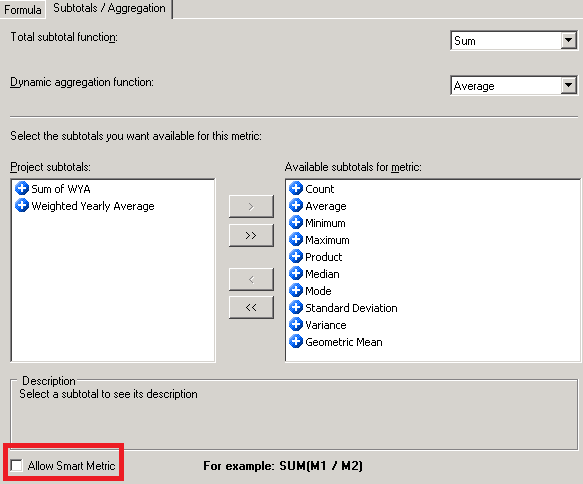
Un-check the Allow Smart Metric checkbox in the metric editor, as shown below:
Interested in learning more about transaction services? Visit the Learning Center on Commuity!
Or visit our Documentation pages for more product information.
