SUMMARY
In Strategy Analytics Enterprise iOS Update 4 the certificate sign request workflow has changed and the following steps have to be followed to update certificate server deployment to successfully sign certificates in this version.
STEPS TO FOLLOW
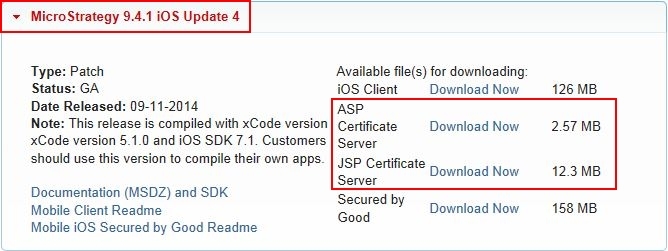
•C:\Program Files (x86)\MicroStrategy\Mobile Server ASPx\CertificateServer\WEB-INF\lib\bcprov-jdk15on-149.jar
•C:\Program Files (x86)\MicroStrategy\Mobile Server ASPx\CertificateServer\WEB-INF\lib\bcpkix-jdk15on-149.jar
•C:\Program Files (x86)\MicroStrategy\Mobile Server ASPx\CertificateServer\WEB-INF\lib\CertificateServer.jar
•C:\Program Files (x86)\MicroStrategy\Mobile Server ASPx\CertificateServer\web.config
Note: Backup and remove the following file from your environment:
•C:\Program Files (x86)\MicroStrategy\Mobile Server ASPx\CertificateServer\WEB-INF\lib\bcprov-jdk16-145.jar
\CertificateServer\WEB-INF\xml
