Strategy Web includes Server and Port information in the url in order to allow users to bookmark Strategy Web pages. However, this information could be sensitive in some cases.
This is a URL before encryption:
http://localhost/MicroStrategy/asp/Main.aspx?evt=3010&src=Main.aspx.3010&Port=0&Project=MicroStrategy+Tutorial&Server=WAS-ATOMPKINS77&loginReq=true&Main.aspx=*0&welcome=*-1.*-1.0.0.0
This is the URL after encryption:
http://localhost/MicroStrategy/asp/Main.aspx?evt=3010&src=Main.aspx.3010&Port=-F15QK1I2MfsUBrWV&Project=MicroStrategy+Tutorial&Server=-R85y3QboaVp09dwDsd6J9O0LYp8%3D&loginReq=true&Main.aspx=-r_H8dtVV5Uwg4E07&welcome=*-1.*-1.0.0.0
In order to encrypt these values in the url, follow the steps below:
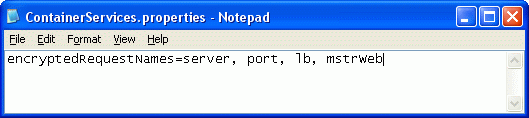
The ContainerServices.properties file should look like the following image:
Please restart the Web Server for these changes to take effect.
