EducationSoftwareStrategy.com
StrategyCommunity

Knowledge Base

Product

Community

Knowledge Base

TopicsBrowse ArticlesDeveloper Zone

Product

Download SoftwareProduct DocumentationSecurity Hub

Education

Tutorial VideosSolution GalleryEducation courses

Community

GuidelinesGrandmastersEvents
x_social-icon_white.svglinkedin_social-icon_white.svg
Strategy logoCommunity

© Strategy Inc. All Rights Reserved.

LegalTerms of UsePrivacy Policy
  1. Home
  2. Topics

KB20654: The Links feature does not work for graph reports or graph in Report Services Documents in MicroStrategy Web 9.x


Community Admin

• Strategy


This technical note details a known limitation in MicroStrategy Web 9.x where the Links feature does not work for graph reports or graph in Report Services Documents. Currently there is no support for link drilling for Graphs (DHTML and Flash) in Report Services Documents for MicroStrategy Web 9.x. This issue has been fixed in MicroStrategy Web 10.1 for Report Service Documents only. Upgrade to take advantage of this fix.

SYMPTOM:
The Links feature works fine in reports viewed in grids and for grids that are part of dashboards, but the feature does not work if the report is changed to graph view mode in Strategy Web 9.x.
STEPS TO REPRODUCE:
Execute the following in Strategy Tutorial:

  • Create a report containing the Quarter attribute. Save and close the report as R1.
  • Create another report with the Year attribute and the Cost metric.  Save the report as R2.
  • Execute R2 and right-click on the Year attribute. Select the Edit Links option.
  • Specify R1 to be executed when the link is clicked. Check the option to 'Open in new window'.  Click OK. Save and close the report.
ka04W000000OefYQAS_0EM4400000028Pm.jpeg
  • Create a Report Services document containing the second report with the link, and add it to the body with formatting.
  • Run the Document (DHTML or Flash) and notice that the elements of Year are underlined indicating that they are linked.
ka04W000000OefYQAS_0EM4400000028Pk.jpeg
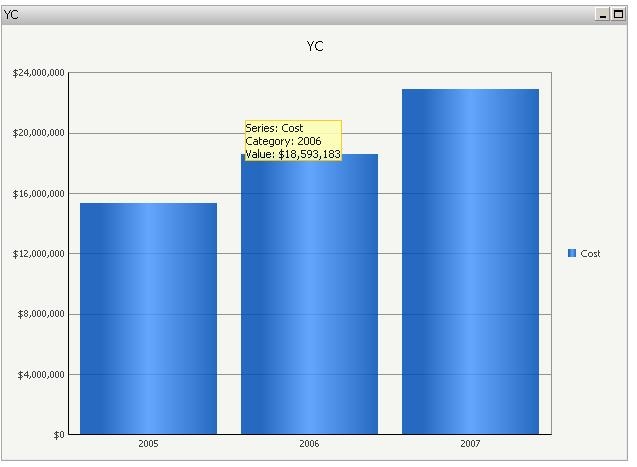
  • Change the report to graph view mode and notice that there is no way to use the link feature.
ka04W000000OefYQAS_0EM4400000028Pw.jpeg

CAUSE:
This is a known limitation in Strategy Web 9.x. Currently there is no support for link drilling for Graphs (DHTML and Flash) in Report Services Documents.   
This issue has been fixed in Strategy Web 10.1 for Report Service documents only. Take advantage of upgrading for a fix.
ACTION:
Contact Strategy Support for an update regarding this issue.
The Strategy Internal Reference Number for the issue discussed in this technical note is 265236.


Comment

0 comments

Details

Knowledge Article

Published:

June 8, 2017

Last Updated:

June 8, 2017