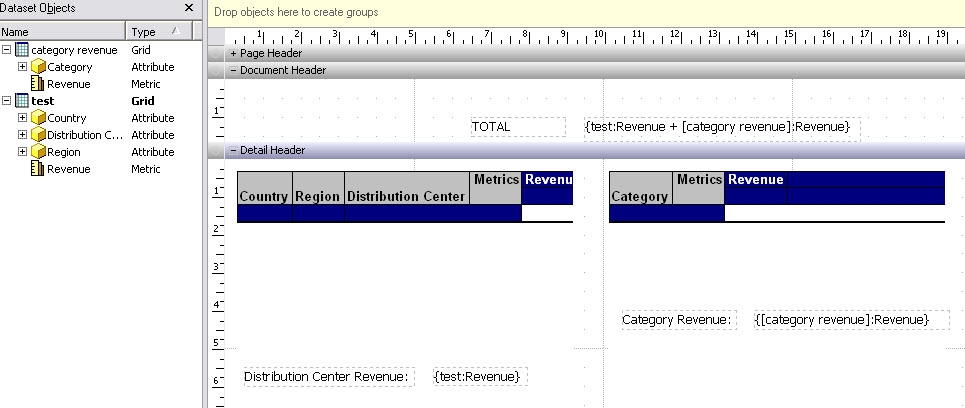
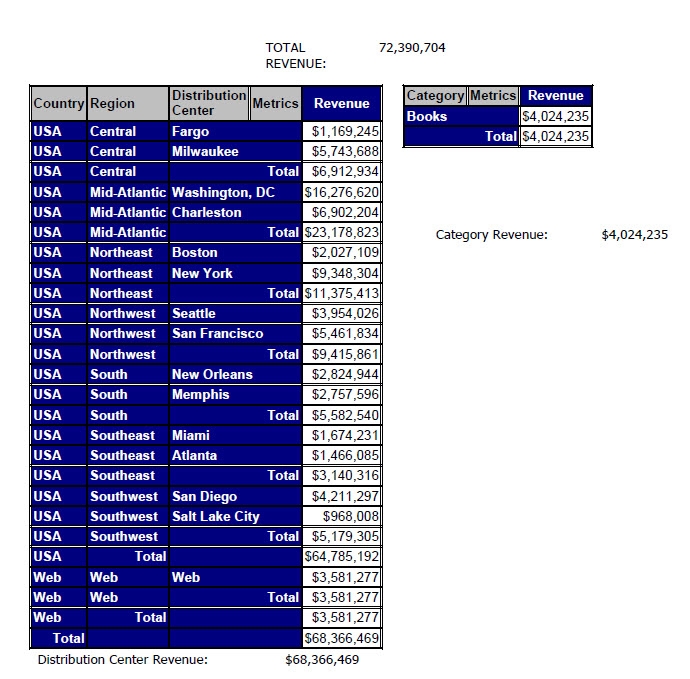
In a Report Services document, a user may want to create a calculation on the fly that uses simple arithmetic operators in combination with metrics from multiple datasets in a document.
This can be accomplished by using calculated expressions. Calculated expressions are created using text fields and require braces { } around the entire expression. If you are using metric objects from multiple datasets, utilize the following syntax when referencing the metric from a specific dataset:
{:}
The brackets are used for names in the expression that contain spaces or special characters.
In the example below, the revenue from two different datasets ('Test' and 'Category Revenue') is added in a calculated expression using the following expression in a text box:
{Test:Revenue + :Revenue}