Strategy SQL Generation Engine supports Very Large DataBase (VLDB) properties to insert arbitrary SQL statements in various locations in the report processing flow of the database. Those locations are described in the following Strategy Knowledgebase article:
KB14618: How do pre/post statements in the VLDB Properties affect the SQL statement when executing reports in Strategy?
Pre- and Post-statements defined in the VLDB Properties of a project's primary warehouse database instance also apply to attribute element browsing requests, which are issued when browsing attribute elements in the data explorer in Strategy Developer, or when a prompt must display a list of attribute elements. Internally, element browsing requests are handled by constructing a report object on-the-fly. This report is only executed but never saved into the metadata. Consequently, report level VLDB Properties cannot be set for an element browsing report, and element browsing will use the database instance default VLDB Properties.
Sometimes pre-statement VLDB Properties are used to set database priority. A common request is to set a higher priority for element browsing requests only, because they are generally very simple queries, and slow execution directly impacts the user's perception of the project's responsiveness by delaying the appearance of prompts.
Strategy SQL Generation Engine has two VLDB Properties, "Element Browsing Pre Statement" and "Element Browsing Post Statement," which allow one statement to be executed before and after element browsing SQL. These VLDB Properties exist at database instance level only.
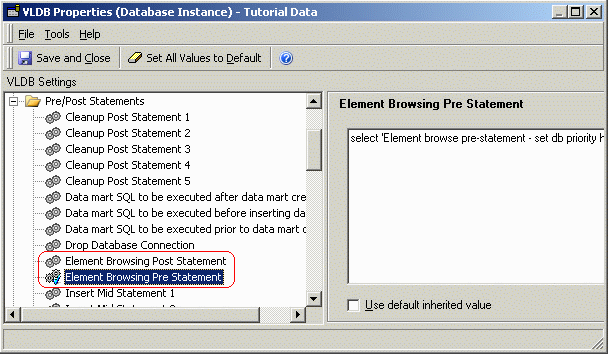
When do the Element Browsing VLDB Properties apply?
The Element Browsing VLDB Properties are never used for standard report execution.
If Element Browsing statements are defined in the project's primary warehouse database instance, they will be used for element browsing requests and the standard Report Pre- and Post-statement VLDB Properties will not be used for element browsing. The Element Browsing statements override the Report Pre- and Post-statements.
If the database instance does not include Element Browsing statements, element browsing requests will use the standard Report Pre- and Post-statement VLDB Properties. This fallback position applies independently for Pre- and Post-statements. That is, if the Element Browsing Pre Statement is defined but no Element Browsing Post Statement exists, element browsing requests will use the Element Browsing Pre Statement and Report Post Statements.

select 'Element browse pre-statement - set db priority here' as dummy from lu_year where year_id = 2006
select count(a21.[QUARTER_ID]) AS WJXBFS1
from [LU_QUARTER] a21
select a11.[QUARTER_ID] AS QUARTER_ID,
a11.[QUARTER_DESC] AS QUARTER_DESC0
from [LU_QUARTER] a11
order by 1 asc
select 'Report post-statement' as dummy from lu_year where year_id = 2006
Note: The count(a21.[QUARTER_ID]) pass obtains the total number of elements, for incremental fetch.
In this scenario, to prevent the Report Post Statement from being issued during element browsing, a dummy (but not blank) Element Browsing Post Statement must be set in the database instance VLDB Properties.
