EducationSoftwareStrategy.com
StrategyCommunity

Knowledge Base

Product

Community

Knowledge Base

TopicsBrowse ArticlesDeveloper Zone

Product

Download SoftwareProduct DocumentationSecurity Hub

Education

Tutorial VideosSolution GalleryEducation courses

Community

GuidelinesGrandmastersEvents
x_social-icon_white.svglinkedin_social-icon_white.svg
Strategy logoCommunity

© Strategy Inc. All Rights Reserved.

LegalTerms of UsePrivacy Policy
  1. Home
  2. Topics

KB20756: The Number Locale Format gets Applied to an Attribute Whose Value was Intended to be Treated as Text in MicroStrategy Web


Community Admin

• Strategy


The Number Locale Format gets Applied to an Attribute Whose Value was Intended to be Treated as Text in MicroStrategy Web

SYMPTOM:
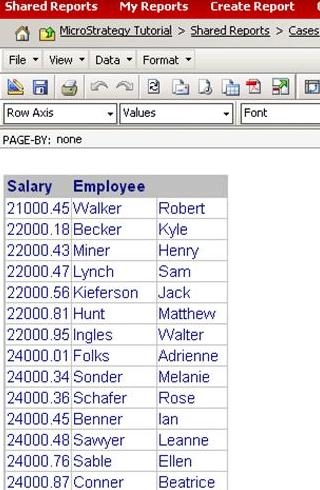
For example, the following report has a 'Salary' attribute whose value should be represented as text and it appears to display correctly when running the report over Strategy Web as shown in the following screenshot:
 

ka04W000000Ocn0QAC_0EM4400000028P4.jpeg

 
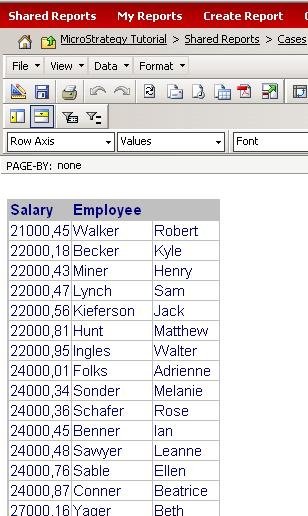
However, when the number locale is changed to another language like German, for example, the following screenshot demonstrates that the Salary element values are being treated as number (notice that the decimal has been changed to a comma, representing the German number format):
 

ka04W000000Ocn0QAC_0EM4400000028P0.jpeg

 
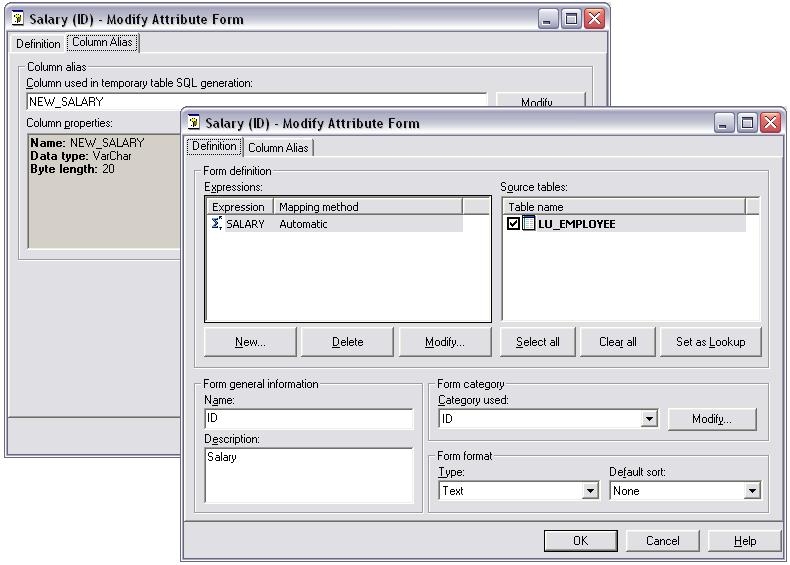
When looking at the attribute definition, the attribute form type and column alias is correctly set to text and VarChar, respectively:
 

ka04W000000Ocn0QAC_0EM4400000028PD.jpeg

 
CAUSE:
This issue is happening because even though the attribute form has been correctly set to Text, the underlying data from the WH table is still in number format.
 
ACTION:
There are two actions that can resolve this issue:
 

  1. Change the data in the WH to String/VarChar format. Consult the database administrator for assistance on how to accomplish this.
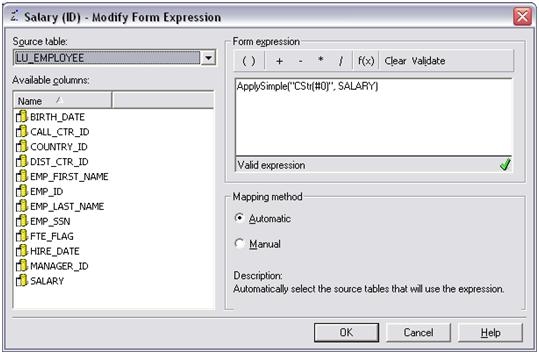
  2. Modify the attribute form expression to include an ApplySimple statement to convert the number data to String format. In the Strategy Tutorial Project, changing the expression to the following corrects the issue:
ka04W000000Ocn0QAC_0EM4400000028P6.jpeg

 
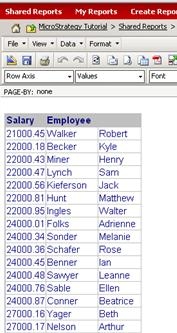
Now when the report is executed with the German number locale (or any other number locale) the Salary attribute will remain unchanged:
 

ka04W000000Ocn0QAC_0EM4400000028P2.jpeg


Comment

0 comments

Details

Knowledge Article

Published:

July 11, 2017

Last Updated:

July 11, 2017