EducationSoftwareStrategy.com
StrategyCommunity

Knowledge Base

Product

Community

Knowledge Base

TopicsBrowse ArticlesDeveloper Zone

Product

Download SoftwareProduct DocumentationSecurity Hub

Education

Tutorial VideosSolution GalleryEducation courses

Community

GuidelinesGrandmastersEvents
x_social-icon_white.svglinkedin_social-icon_white.svg
Strategy logoCommunity

© Strategy Inc. All Rights Reserved.

LegalTerms of UsePrivacy Policy
  1. Home
  2. Topics

KB20774: How to create a Content Information Object in MicroStrategy Narrowcast Server 9.x - 10.x


Community Admin

• Strategy


MicroStrategy Narrowcast Server 9.x - 10.x is designed so that services can include dynamic content (i.e. a MicroStrategy report or document). This dynamic content is retrieved at service execution time and is created by using content Information Objects.

Strategy Narrowcast Server 9.x - 10.x is designed so that services can include dynamic content (i.e. a Strategy report or document). This dynamic content is retrieved at service execution time and is created by using content Information Objects.
 
To create a content Information Object in Strategy Narrowcast Server 9.x - 10.x, perform the following steps:
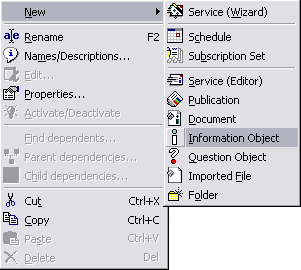
  • Open the Information Object Editor by right-clicking and going to New > Information Object
ka04W000000OdgAQAS_0EM440000002B7T.jpeg
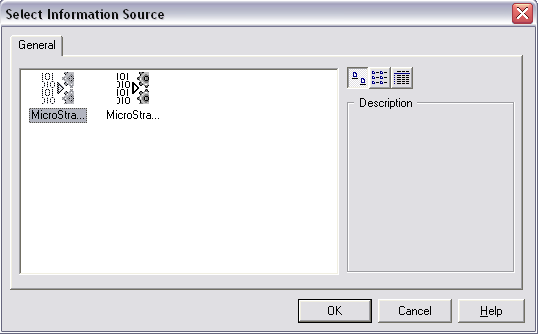
  • Select the desired Information Source to use to retrieve the content:
ka04W000000OdgAQAS_0EM440000002B7V.jpeg
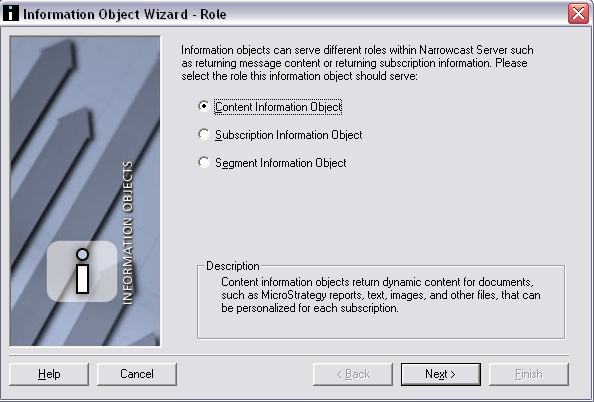
  • Select the 'Content Information Object' radio button:
ka04W000000OdgAQAS_0EM440000002B7I.jpeg
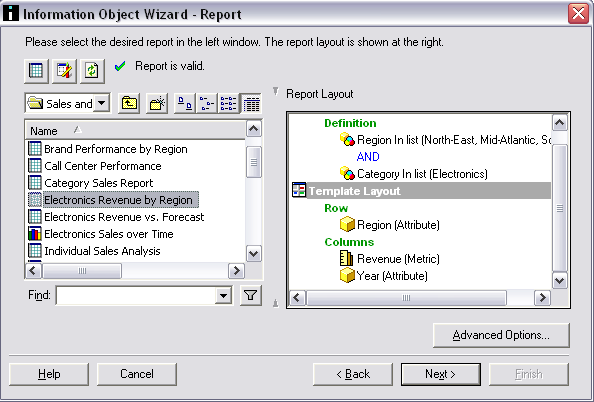
  • Select the report that will be used as data source of the Information Object:
ka04W000000OdgAQAS_0EM440000002B7F.jpeg
  • If the report contains prompts, they can be answered with a Question Object or directly in the Subscription Set Editor at a later time. The steps to create a Question Object for Personalized Report Execution (PRE) and Personalized Page Execution (PPE) are provided in the following Strategy Knowledge Base technical notes:
    • KB18869 - How to use a question object with a personalized page execution (PPE) Strategy Narrowcast Server 9.x service
    • KB5027 - Using question objects for personalized report execution in Strategy Narrowcast Server 9. 
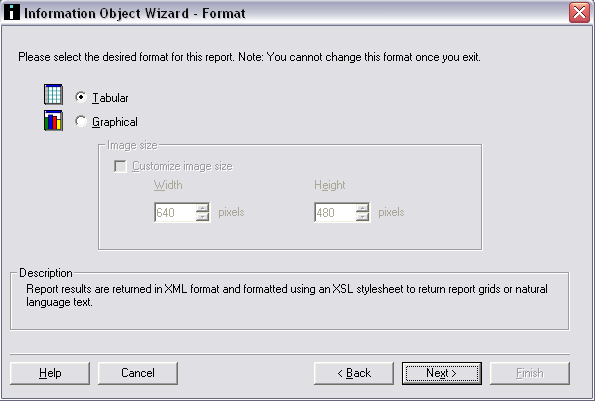
  • Select whether the format for the Information Object will be displayed as Tabular (i.e. a grid) or Graphical:
ka04W000000OdgAQAS_0EM440000002B7R.jpeg
  • Note: Tabular reports are returned in eXtensible markup Language (XML) format, and are formatted using eXtensible Style Language (XSL). Graphical Reports are returned in a graph Format in the form of a Graphical Interchange Format (GIF) file.
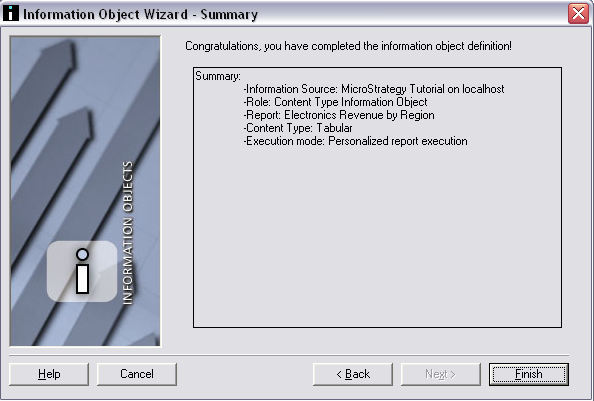
  • Click Next to get to the Summary page, then click Finish to save the Information Object:
ka04W000000OdgAQAS_0EM440000002B7D.jpeg

Comment

0 comments

Details

Knowledge Article

Published:

April 6, 2017

Last Updated:

April 6, 2017