To determine how many connection maps a project is using in Strategy Developer 9.x, open the Project Configuration window by right-clicking on a project and choosing 'Configure Project'.
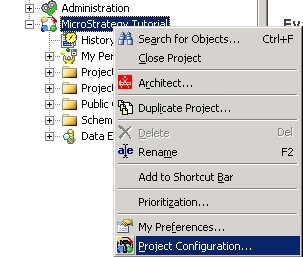
NOTE: Only users with administrative privileges are able to select this option. Other users are able to right-click on project names, but the Configure Project option will be grayed out.
Select Database Instances from the left hand menu and then Connection Mapping:
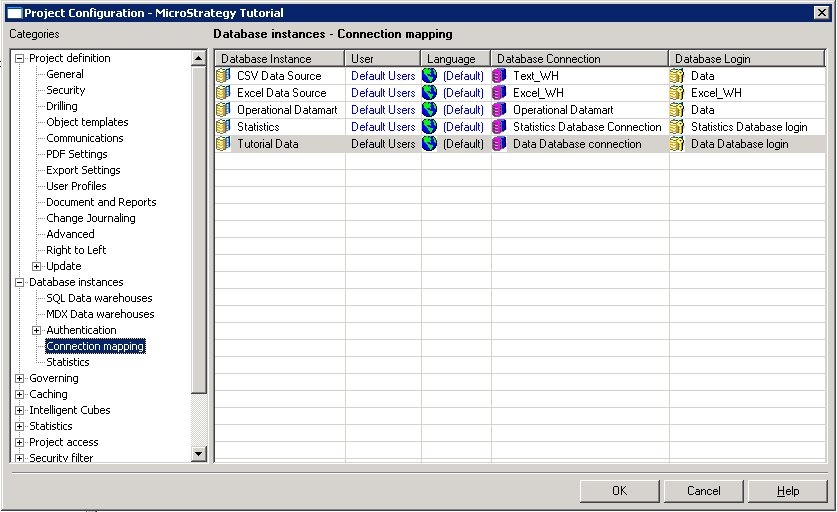
The Connection Mapping tab displays the users or groups connected to the project and the warehouse along with its connection properties as shown above. This tab exists to enable the administrator to quickly reference the connection established between a project and the various databases. A value of Default Users means all users not otherwise specified.
To create a new connection mapping for a user or group right click on the grid and select New…:
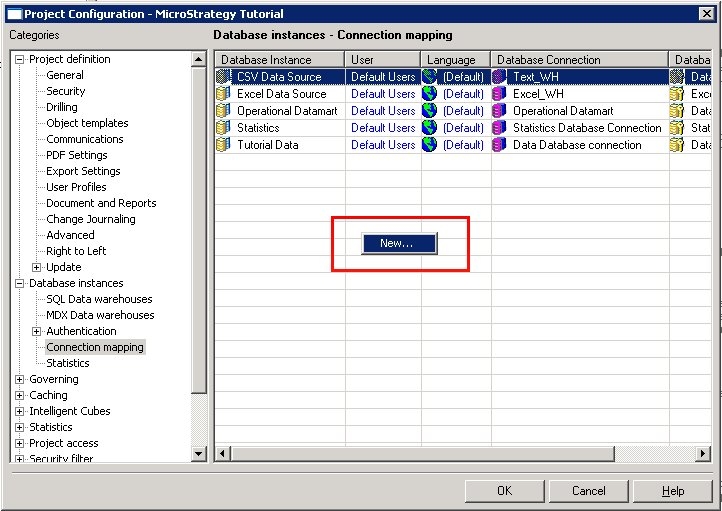
You must define which users or groups will use the new connection mapping as well as the database connection and database login information. Additionally, a non-default language may be set for the users or group.
