Users can create a filter that returns the current year from a SQL Server database by utilizing a built-in function called getdate( ). More information about this function can be read at the website:
http://msdn.microsoft.com/en-us/library/ms188383.aspx
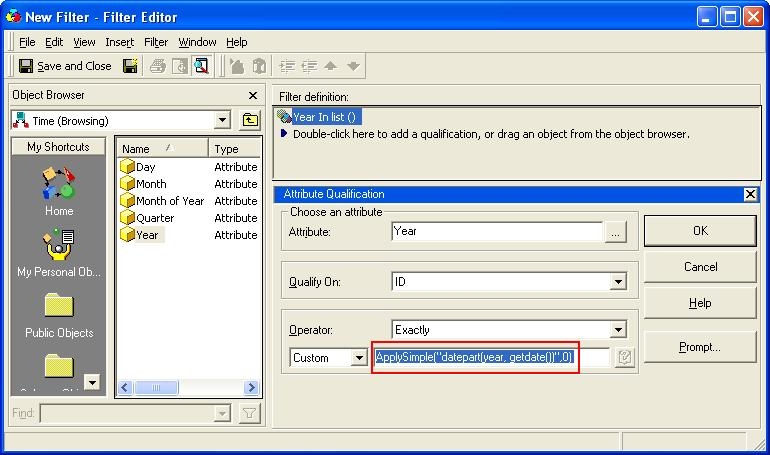
Below is an example of how to use this current year found in the Strategy Tutorial project:
ApplySimple("datepart(year, getdate())",0)
Note: The SQL query mentioned in this document is specific for Microsoft SQL Server and has been provided as a simple example to illustrate. If SQL is required for another database platform, users need to contact their database administrator to do so.
With this example above, the results that are returned will now only include those of the current year which is resolved by the database of SQL Server. Keep in mind that the Year attribute in Strategy's Tutorial Project is configured to have the ID match the year. Example 2000, 2001, 2002, etc. If users have their Year IDs stored differently in their Warehouses, they may need to adjust the ApplySimple being run appropriately.
