EducationSoftwareStrategy.com
StrategyCommunity

Knowledge Base

Product

Community

Knowledge Base

TopicsBrowse ArticlesDeveloper Zone

Product

Download SoftwareProduct DocumentationSecurity Hub

Education

Tutorial VideosSolution GalleryEducation courses

Community

GuidelinesGrandmastersEvents
x_social-icon_white.svglinkedin_social-icon_white.svg
Strategy logoCommunity

© Strategy Inc. All Rights Reserved.

LegalTerms of UsePrivacy Policy
  1. Home
  2. Topics

KB20803: ‘Subscription Information Object’ and ‘Segment Information Object’ options are disabled in the Information Object Wizard which are necessary for use with dynamic subscription sets in MicroStrategy Narrowcast Server


Community Admin

• Strategy


Article outlines why ‘Subscription Information Object’ and ‘Segment Information Object’ options are disabled in the Information Object Wizard which are necessary for use with dynamic subscription sets in MicroStrategy Narrowcast Server

SYMPTOM:
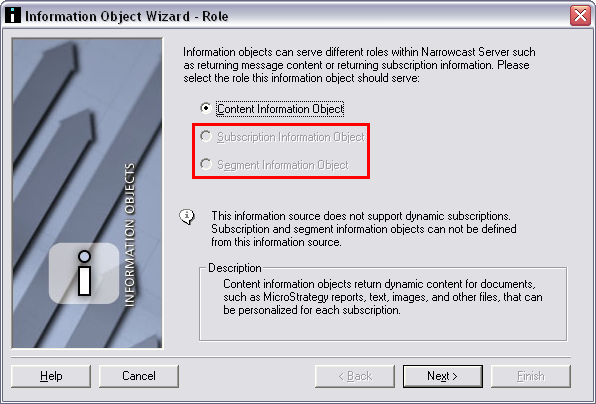
When creating a new Information Object using the Information Object Wizard in Strategy Narrowcast Server, the 'Subscription Information Object' and 'Segment Information Object' options are disabled:
 

ka04W000000OeC7QAK_0EM440000002B7K.jpeg

CAUSE:
These options are disabled because the Information Source Module selected has not been configured to use Dynamic Subscriptions.
 
ACTION:
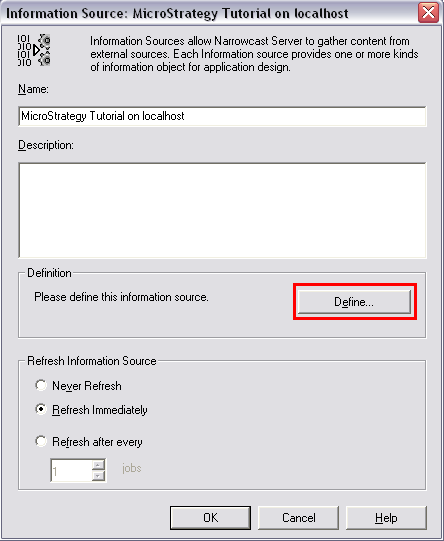
  • Edit the Information Source Module and click 'Define':
ka04W000000OeC7QAK_0EM440000002B7O.jpeg
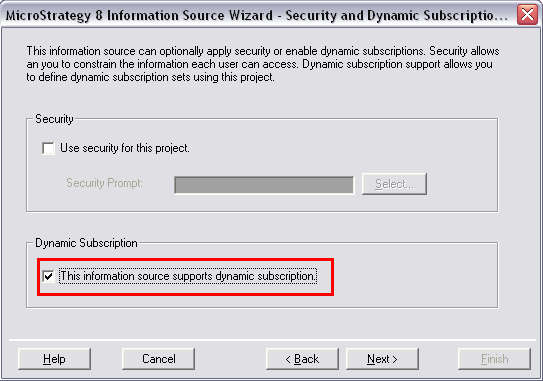
  • Proceed through the steps until the 'Security and Dynamic Subscription Support' section of the Information Source Wizard is reached. Enable dynamic subscription support by checking the box: "This information source supports dynamic subscription":
ka04W000000OeC7QAK_0EM440000002B7Q.jpeg
  • Use the following Strategy Knowledge Base technical note to configure all of the dynamic subscription properties before finishing the wizard:
  • KB19752: How to enable an Information Source to support dynamic subscriptions in Strategy Narrowcast Server

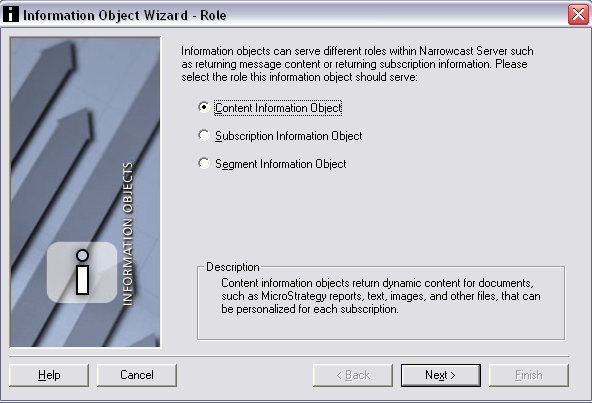
Information Objects created using the configured Information Source will now allow all options:
 

ka04W000000OeC7QAK_0EM440000002B7M.jpeg

Comment

0 comments

Details

Knowledge Article

Published:

June 13, 2017

Last Updated:

June 13, 2017