EducationSoftwareStrategy.com
StrategyCommunity

Knowledge Base

Product

Community

Knowledge Base

TopicsBrowse ArticlesDeveloper Zone

Product

Download SoftwareProduct DocumentationSecurity Hub

Education

Tutorial VideosSolution GalleryEducation courses

Community

GuidelinesGrandmastersEvents
x_social-icon_white.svglinkedin_social-icon_white.svg
Strategy logoCommunity

© Strategy Inc. All Rights Reserved.

LegalTerms of UsePrivacy Policy
  1. Home
  2. Topics

KB20821: What happens when a template is associated with a drill map in MicroStrategy Desktop 8.1.x and 9.x?


Stefan Zepeda

Salesforce Solutions Architect • Strategy


When a template is associated with a drill map in MicroStrategy Desktop 8.1.x, 9.x, and 10.x, the drill map will only be used for the metric data on that template.

SYMPTOM:
When a template is associated with a drill map in Strategy Desktop 8.1.x, 9.x, and 10.x, the drill map will only be used for the metric data on that template.
 
STEPS TO REPRODUCE:
In Strategy Tutorial Project:
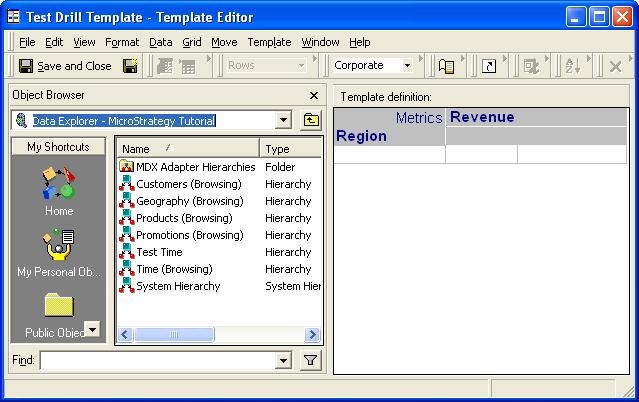
  • Create a template with the attributes Region, and metric Revenue on the grid. Save the template as "Test Drill Template"

ka02R000000kcIyQAI_0EM440000002EW8.jpeg
  • Create a template with the attributes Country, Region and metric Revenue on the grid. Save the template as "Base template - Country Category Revenue".
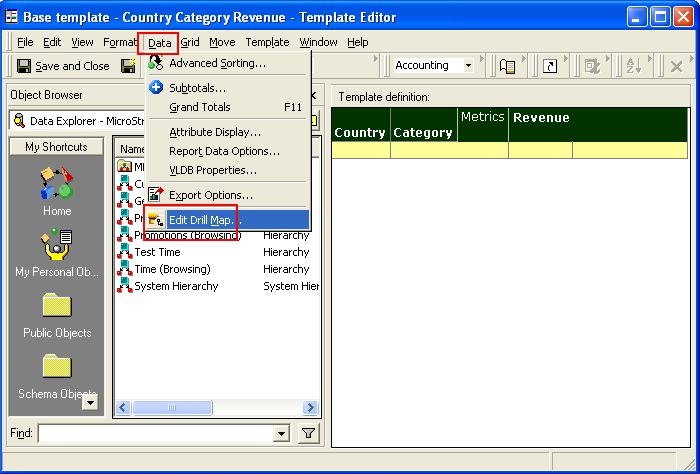
  • Edit the report "Base template - Country Category Revenue". From the Data menu, select the option "Edit Drill Map.."
     
ka02R000000kcIyQAI_0EM440000002EWD.jpeg
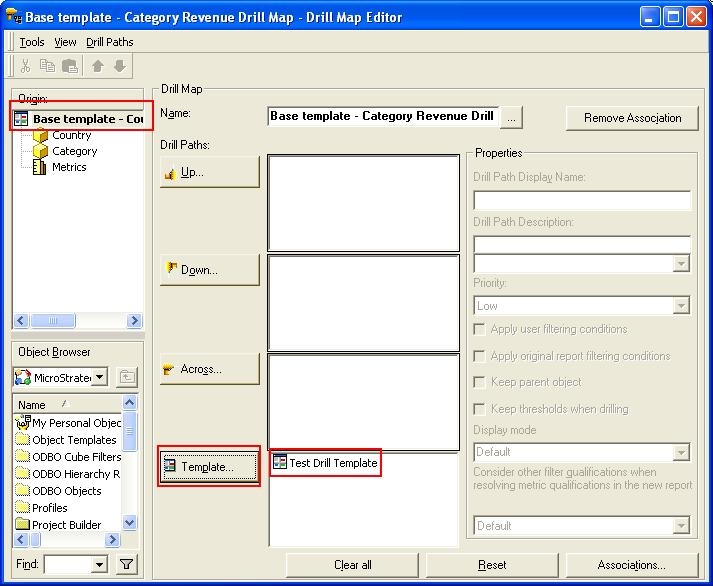
  • From the Drill Map editor, with the Base template selected, click on the Template button, select the "Test Drill Template" and click Open to establish the drill to template association.
     
ka02R000000kcIyQAI_0EM440000002EVu.jpeg
  • Close the Drill Map editor and select to save the changes.
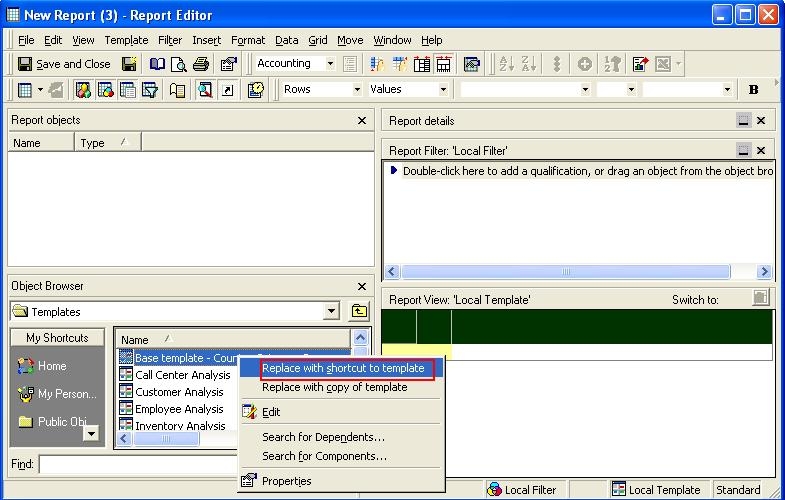
  • Create a new report with the template "Base template - Country Category Revenue as a short cut. Save the report as "Test report"
     
ka02R000000kcIyQAI_0EM440000002EWB.jpeg
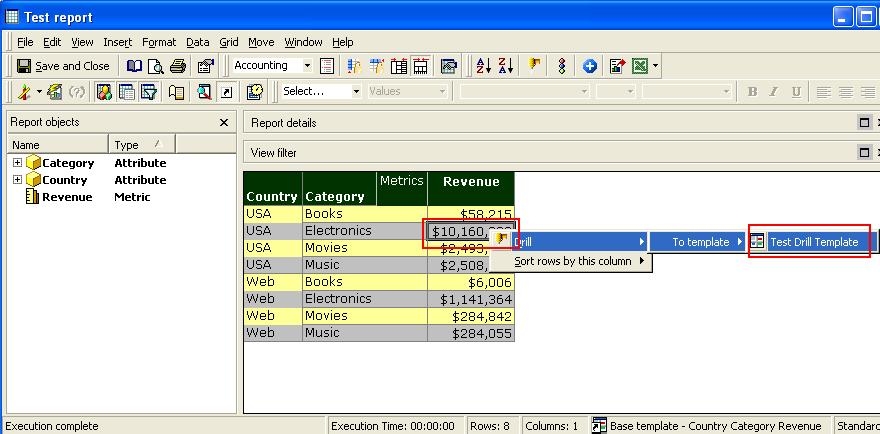
  • Execute the Test report and right-click on the Revenue metric data to access the drill to template.
     
ka02R000000kcIyQAI_0EM440000002EWC.jpeg
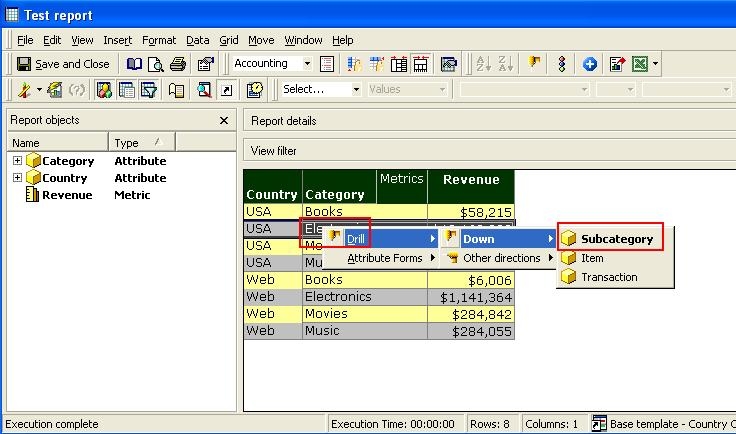
  • Select to drill from any attribute elements and notice that the same drill map is not shown.
     
ka02R000000kcIyQAI_0EM440000002EW9.jpeg

CAUSE:
This is working by design. The drill map will not be applied anywhere else on a report, unless otherwise specified. Other template objects, such as headers and attributes, will not automatically inherit the drill map.


Comment

0 comments

Details

Knowledge Article

Published:

May 12, 2017

Last Updated:

May 12, 2017