EducationSoftwareStrategy.com
StrategyCommunity

Knowledge Base

Product

Community

Knowledge Base

TopicsBrowse ArticlesDeveloper Zone

Product

Download SoftwareProduct DocumentationSecurity Hub

Education

Tutorial VideosSolution GalleryEducation courses

Community

GuidelinesGrandmastersEvents
x_social-icon_white.svglinkedin_social-icon_white.svg
Strategy logoCommunity

© Strategy Inc. All Rights Reserved.

LegalTerms of UsePrivacy Policy
  1. Home
  2. Topics

KB20835: When using static text to make notes to a grid and exporting to PDF the static text misaligned in MicroStrategy Web 9.4.x.


Community Admin

• Strategy


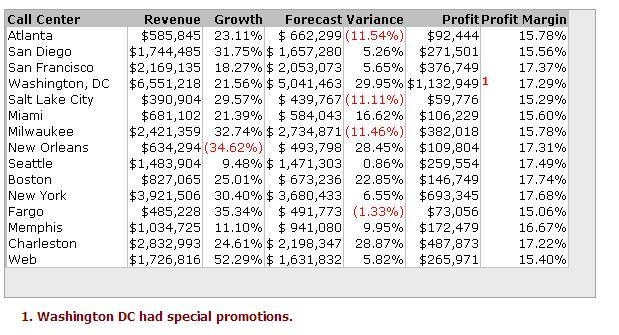
When a static text is used to make notes on a grid and placed inside a grid, it is shown correctly in Web, but when exported to PDF it looks shifted

SYMPTOM:
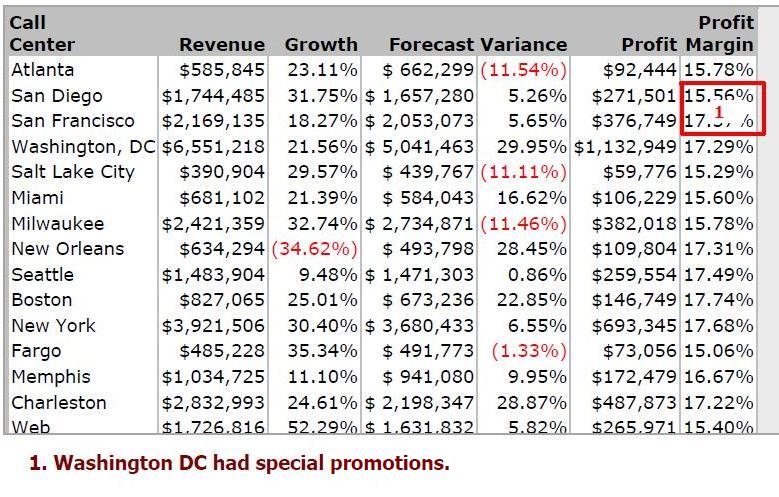
When a static text is used to make notes on a grid and placed inside a grid, it is shown correctly in Web, but when exported to PDF it looks shifted as shown below:
 

ka04W000000ObvhQAC_0EM4400000025eu.jpeg

PDF View:
 

ka04W000000ObvhQAC_0EM4400000025eh.jpeg

 
CAUSE:
This is caused because headers are now shown in two rows causing the grid size to be different from Web.
 
 
ACTION:
Follow these steps to have the same grid size in Strategy Web and PDF view:
 

  • Open the Report Services Document in Strategy Web editable mode.
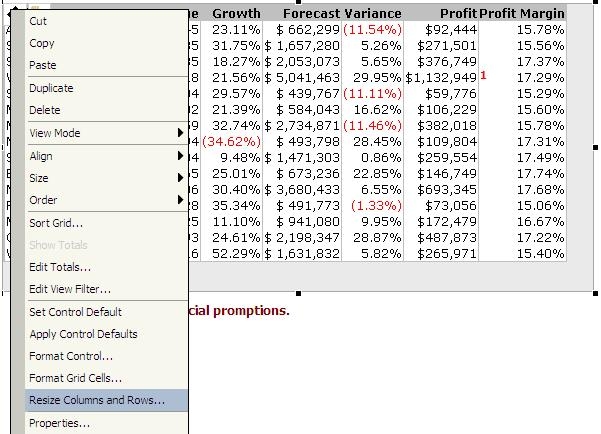
  • Right click on the grid to show the grid menu and select the option "Resize Columns and Rows" as shown below:
ka04W000000ObvhQAC_0EM4400000025em.jpeg
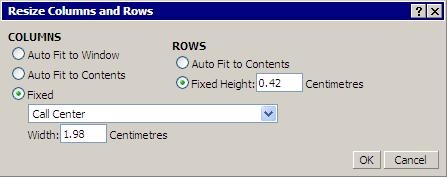
  • In the Resize Rows and Columns dialog box select Fixed for both Columns and Rows.
ka04W000000ObvhQAC_0EM4400000025ew.jpeg
  • If necessary move the static text to be aligned with the desired grid row.
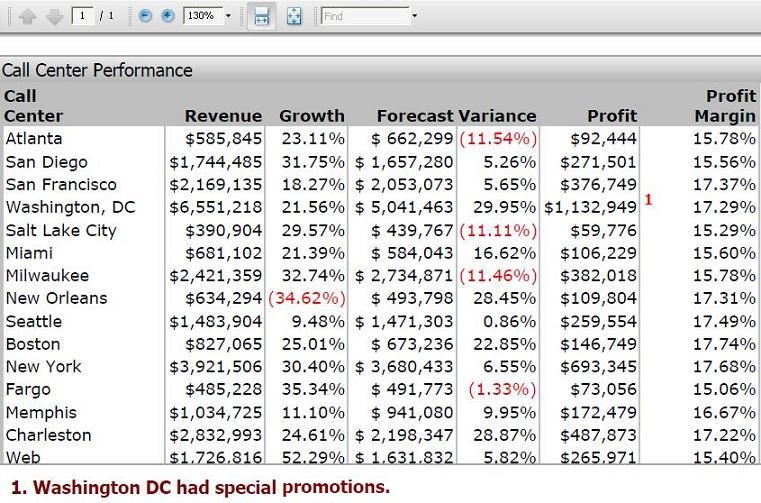
  • Export to PDF and notice that the static text now is shown as desired.
ka04W000000ObvhQAC_0EM4400000025ek.jpeg

Comment

0 comments

Details

Knowledge Article

Published:

June 1, 2017

Last Updated:

June 1, 2017