Strategy Web it is possible to rename existing history list messages to a new name.
In the History List page in Strategy Web, new action icon appears under the action column as shown below:
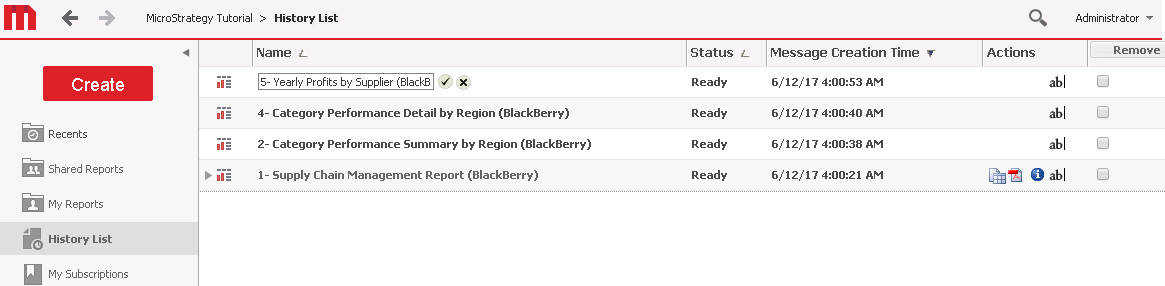
Clicking on the icon next to the History entry causes an editable text field to display:

Clicking the accept check box will save this new message name back to the disk or database.
