EducationSoftwareStrategy.com
StrategyCommunity

Knowledge Base

Product

Community

Knowledge Base

TopicsBrowse ArticlesDeveloper Zone

Product

Download SoftwareProduct DocumentationSecurity Hub

Education

Tutorial VideosSolution GalleryEducation courses

Community

GuidelinesGrandmastersEvents
x_social-icon_white.svglinkedin_social-icon_white.svg
Strategy logoCommunity

© Strategy Inc. All Rights Reserved.

LegalTerms of UsePrivacy Policy
  1. Home
  2. Topics

KB209780: Data labels overlap when exporting a pie graph in a document to Excel in MicroStrategy 9.4.x


Community Admin

• Strategy


Data labels overlap when exporting a pie graph in a document to Excel in MicroStrategy 9.4.x

SYMPTOM: 
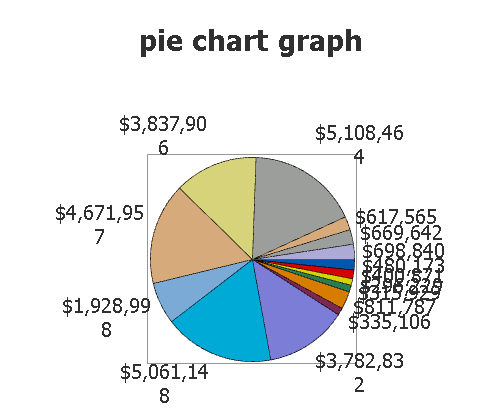
When exporting a pie chart in a document to Excel In Strategy 9.4.x with a large number of data points, users will notice that data labels are overlapped.
 

ka04W000000Oh2KQAS_0EM4400000029Kb.jpeg

 
This behavior is only present when exporting from a document.  When exporting the underlying datasets to Excel the results are as expected.  
 
STEPS TO REPRODUCE:
Follow the steps below to reproduce this issue in the Strategy Tutorial project for reference:
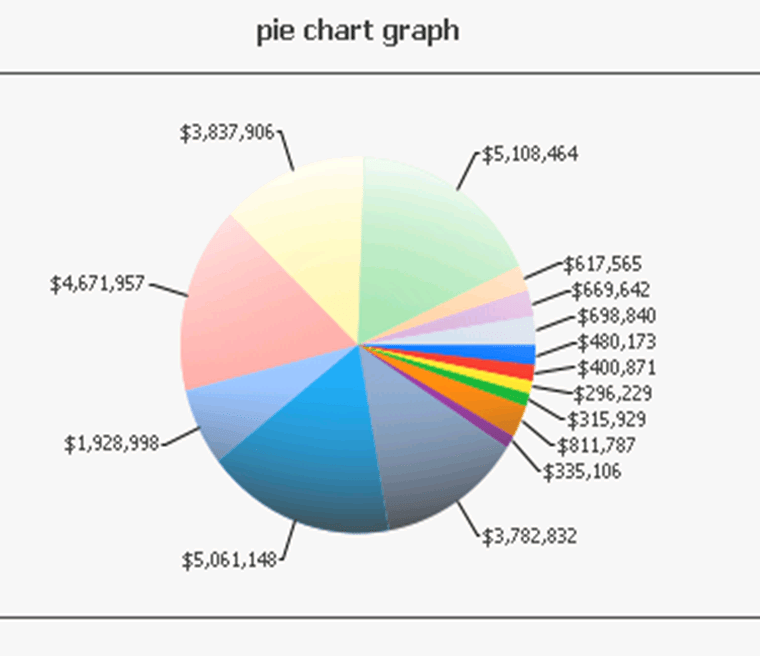
 

  • Create a report with the attribute "Subcategory" and metric "Revenue".  Run this report as a pie graph.
  • Create a document off of this report and add the grid to the Detail Header section
  • Run document in Desktop or Web and notice the data labels do not overlap:
ka04W000000Oh2KQAS_0EM4400000029KZ.jpeg
  • Now, export to Excel and notice the data labels will now overlap.
     

CAUSE:
This is a known issue with Strategy 9.4.x
 
ACTION:
Currently this issue is still being reviewed for feasibility by our Technology team and it is not scoped for any upcoming scheduled Strategy release
 
WORKAROUND:
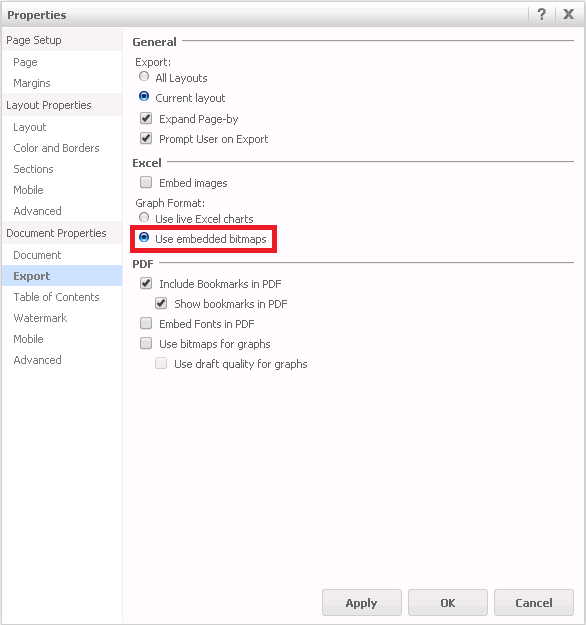
The only known workaround is to use the option "Use embedded bitmaps" in the Document Properties shown below. 
ka04W000000Oh2KQAS_0EM4400000029KV.jpeg


The Strategy Internal Reference Number for the issue discussed in this technical note is 979463.


Comment

0 comments

Details

Knowledge Article

Published:

June 6, 2017

Last Updated:

June 6, 2017