SUMMARY:
This document describes a behavior reported after selecting any Scan MD common or custom tests to run for a specific project, in Strategy 9.x. This technical note provides a possible cause as well as a workaround.
SYMPTOM:
When running Scan MD, after connecting to the project and selecting either a Common or Custom test to run, no tests are displayed in the pre-excution window and the Next button is greyed out, as shown in the image below:
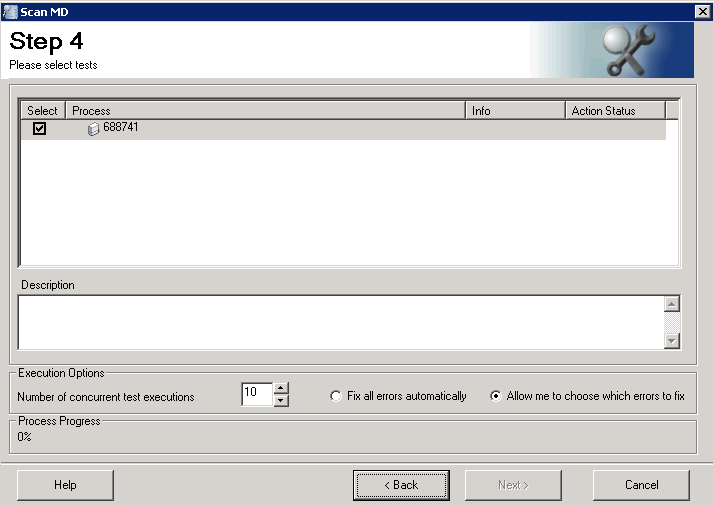
This occurs with any ScanMD common or custom test selected. As a result, ScanMD cannot be executed for that specific project.
CAUSE
One possible cause is that the project name has some special characters (such as ı, ö, õ, etc) When looking at the name through the ScanMD or Strategy Developer interface, it seems to contain only normal characters, however the real name can be seen by running SQL query against the metadata.
ACTION
Log into the project through Strategy Developer, right click on the project name and select "Rename".
