Strategy Web 9.4.1 and newer versions users can create a URL API link that opens the Print Options for a specific report. This will show the options below:
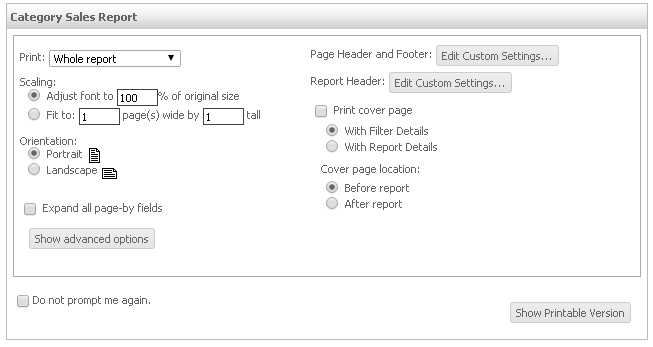
After clicking on "Show Printable Version" users will be able to obtain the PDF version of a report ready to print.
The following parameters are needed to construct this URL API link:
mstrWeb?
&src=mstrWeb.3053
&evt=3053
&pdfPrint=1
&reportViewMode=1
&reportID=XXXXXXXXXXXXXXXXX
The parameter pdfPrint will open the Print Version of the PDF export options. If this parameter is not included, the normal PDF Export options will be displayed.
Alternatively, the following parameter can be added to the URL to skip the options page and export directly:
&showOptionsPage=false
ASP.NET environment:
Main.aspx?&src=Main.aspx.3053&evt=3053&pdfPrint=1&reportViewMode=1&reportID=CEF3C2B64463B7202F49AF81FCA9BE35
mstrWeb?&src=mstrWeb.3053&evt=3053&pdfPrint=1&reportViewMode=1&reportID=CEF3C2B64463B7202F49AF81FCA9BE35
