SYMPTOM:
Two jobs are executing in Job monitor when two users with the same security filters are scheduled to dpdate the cache for the same report in Strategy Intelligence Server 9.X, as shown below:

CAUSE:
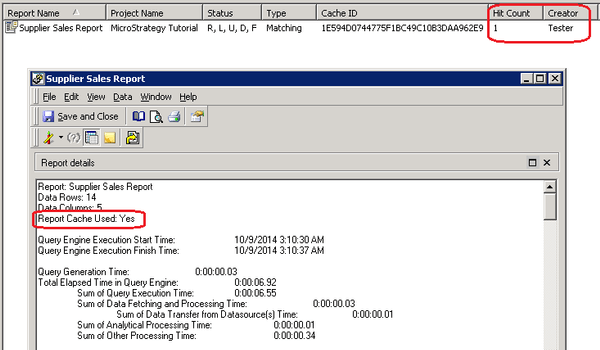
There are two jobs because the schedule is triggered and the jobs are executing at the same time to update the cache, while actually they are sharing the cache (as shown below) since the same report is configured to two users with the same security filters. This is working as expected.

Similarly, if setting up a schedule to update the cache of a report for User 1(tester), the cache is created successfully as observed in cache monitor. Then try to execute the report by User 2 (tester2) with the same security filter, it is found that one Job is executing from the Job monitor, it can be noticed that the ID is null (00000000000000000000000000000000). According to the KB31009 in below, they are placeholders created by administrative tasks, it can also be observed that the description is "Metadata Request" instead of "Running Report".
KB31009: Explanation of job in the Job Monitor with ID 00000000000000000000000000000000 in MicroStrategy 9.0.0.

However, when nevigating to the report cache monitor, it can be found that the cache is hit, and also from SQL view of the report tells the cache is used.