EducationSoftwareStrategy.com
StrategyCommunity

Knowledge Base

Product

Community

Knowledge Base

TopicsBrowse ArticlesDeveloper Zone

Product

Download SoftwareProduct DocumentationSecurity Hub

Education

Tutorial VideosSolution GalleryEducation courses

Community

GuidelinesGrandmastersEvents
x_social-icon_white.svglinkedin_social-icon_white.svg
Strategy logoCommunity

© Strategy Inc. All Rights Reserved.

LegalTerms of UsePrivacy Policy
  1. Home
  2. Topics

KB213168: How to create a procedure to get expiration date of a subscription in MicroStrategy Analytics Command Manager 9.4.1


Community Admin

• Strategy


This document instructs how to create a procedure via Command Manager to get expiration date of a subscription. Follow steps are performed with Tutorial project

This document instructs how to create a procedure via Command Manager to get expiration date of a subscription. Follow steps are performed with Tutorial project:
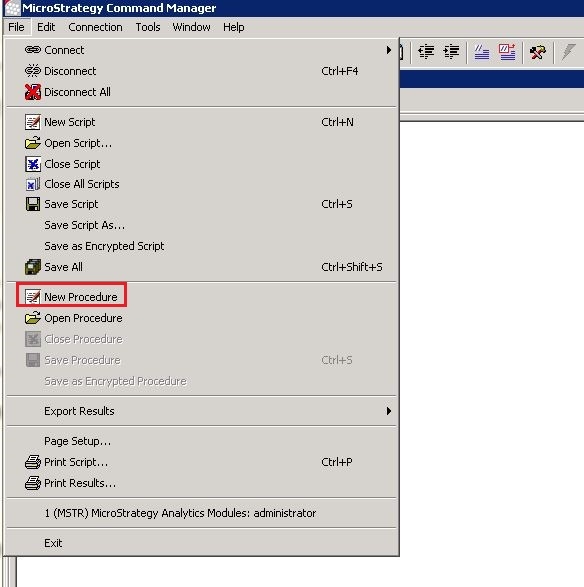
 

  • In Command Manager menu bar, choose File -> New Procedure.
ka04W000000OdeUQAS_0EM440000002C7z.jpeg
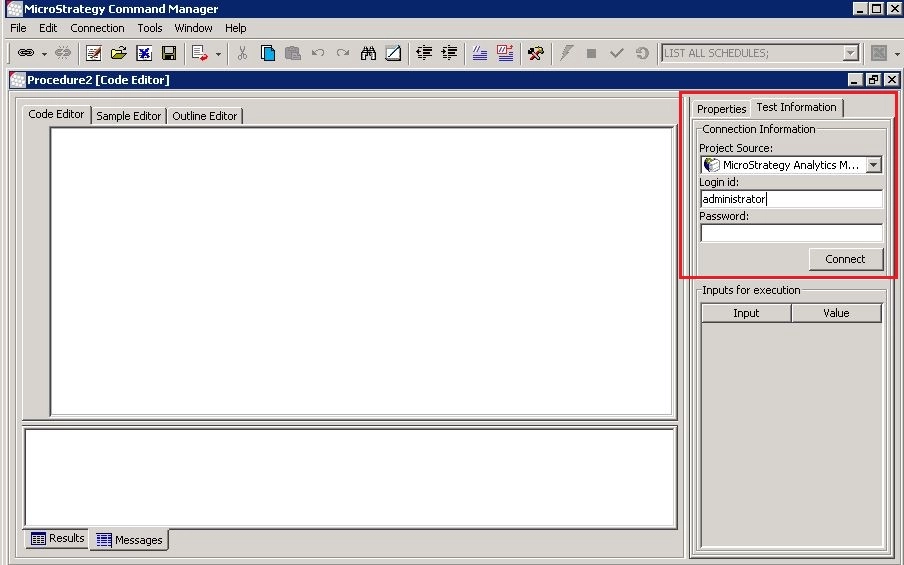
  • In the newly launched procedure window, under Test Connection tab, fill in the project source information and click Connect.
ka04W000000OdeUQAS_0EM440000002C7o.jpeg
  • Define the procedure with scripts below:
     
    
    ResultSet list=executeCapture("LIST ALL PROPERTIES FOR SUBSCRIPTION GUID A3F7968A40E0357E302001B940118B99 FOR PROJECT 'Strategy Tutorial';");
    
        list.moveFirst();
    
        ResultSet oResultSetSubProps = (ResultSet)list.getResultCell(SUBSCRIPTION_RESULT_SET).getValue();
    
        oResultSetSubProps.moveFirst();
    
        String subscriptionType=oResultSetSubProps.getFieldValueString(DisplayPropertyEnum.EXPIRATIONDATE);
    
        printOut(subscriptionType);
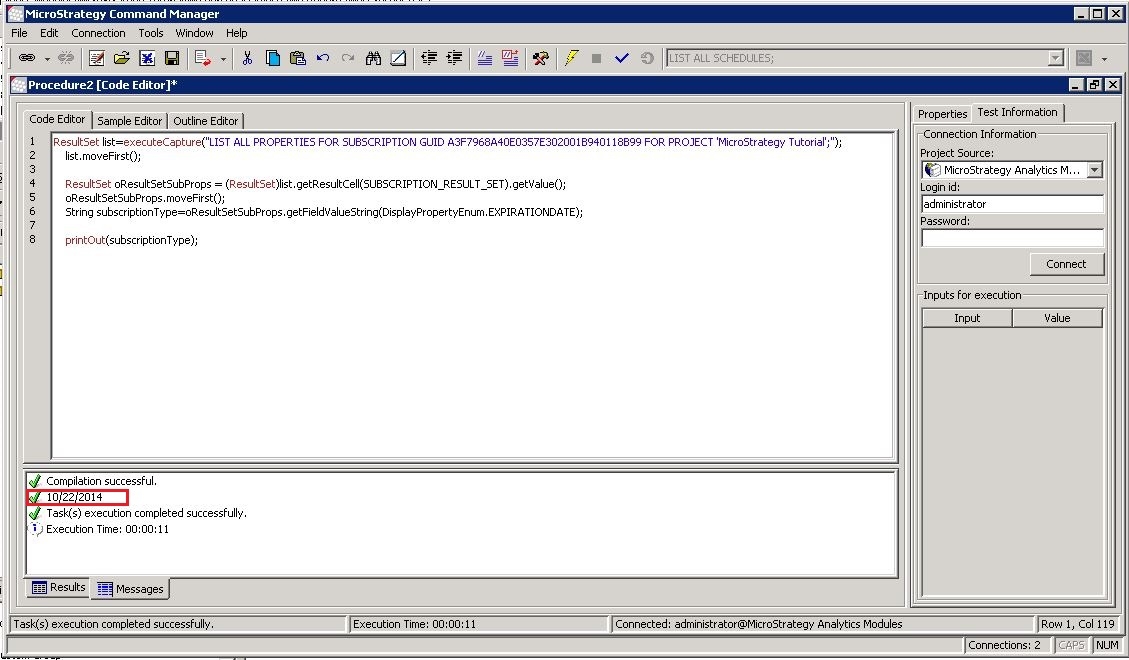


  • Run procedure. Notice the expiration date is returned.
     
ka04W000000OdeUQAS_0EM440000002C80.jpeg

Comment

0 comments

Details

Knowledge Article

Published:

April 10, 2017

Last Updated:

April 10, 2017