A Strategy Mobile administrator might have the following requirements for Strategy Mobile 9.4.x or 10.x:
ACTION:
The above requirements cannot be met.
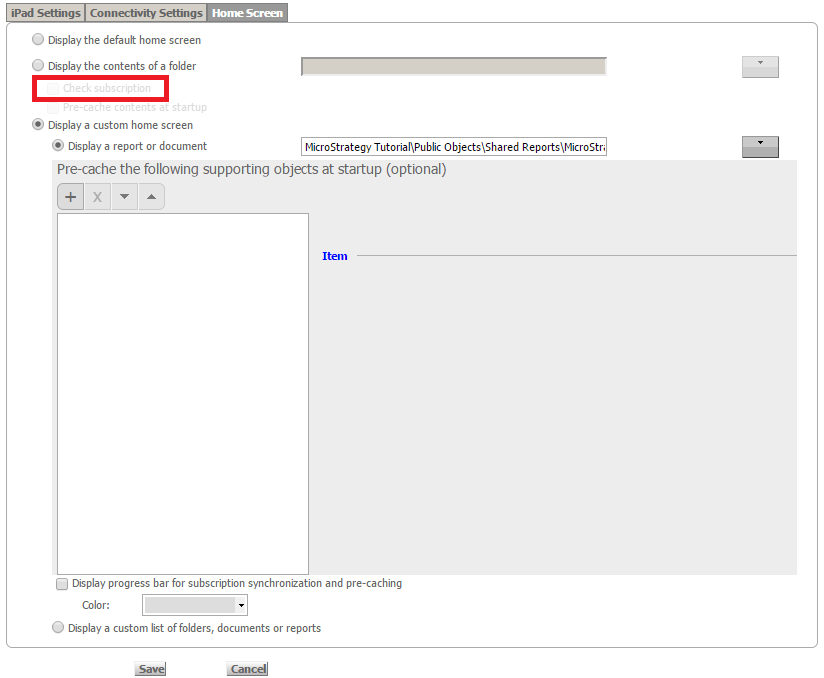
They could be satisfied by the "Check subscription" option which is available under "Display the contents of a folder" in the Strategy Mobile Configuration (Home Screen tab). This option does not pre-cache anything and is referenced at the runtime. Whenever a report or document is executed from the device, it will first check if a mobile subscription exists for the report. If it does, it will check if the mobile subscription caches exist on the Intelligence Server and if they do, then it will use them. If they don't, then the document will be executed live, generating mobile subscription caches on the Intelligence Server by itself.
However, the "Check subscription" option is only available under "Display the contents of a folder". When using the "Display a custom home screen" option, the only available options are either pre-caching the documents (downloading the caches on the device as soon as the app is launched) or executing the documents live (thus generating caches on the Intelligence Server which can be referenced from then forward, in the case device caches are cleared).
Please also note that although there is the "Check subscription" option available under “Display the contents of a folder” if a folder to pre-cache is selected, it will also automatically pre-cache it, which does not satisfy the requirements:
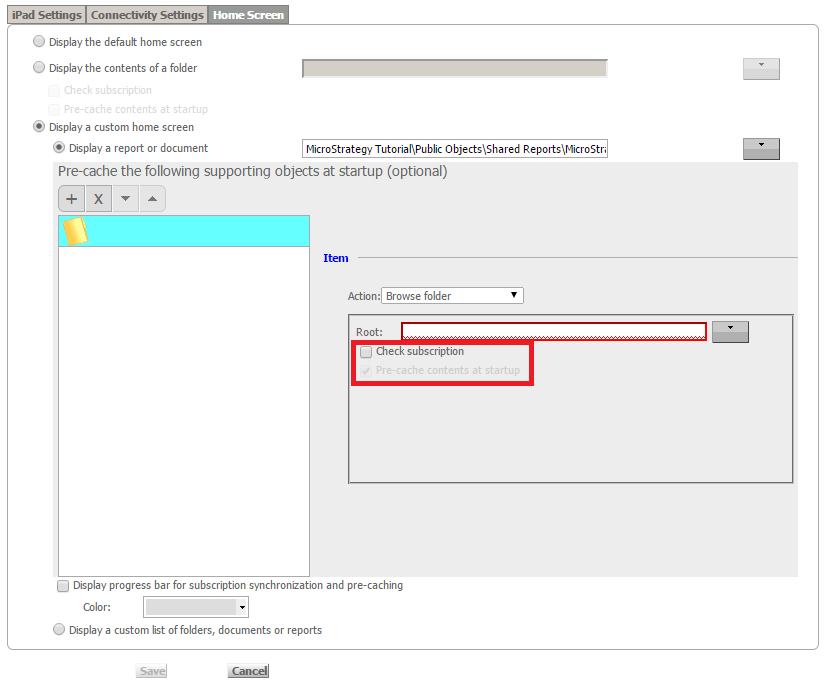
The above requirements can be met (except for the home screen document).
If a custom home screen document is set in the mobile configuration, do NOT add any supporting object and make sure "Automatically pre-load subscriptions" is unchecked on the “iPad Settings” page:
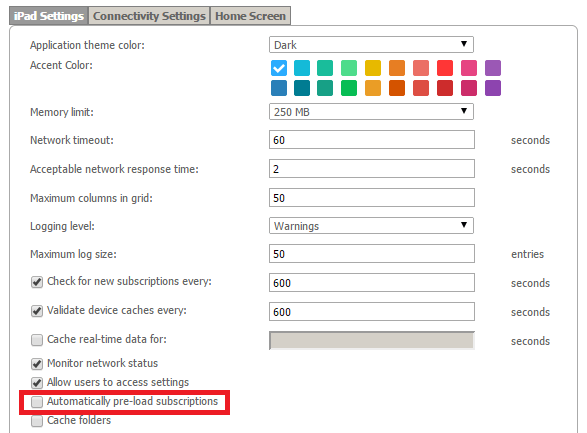
With these settings, when the mobile users tap on a link from the home screen document to any target documents, the executions of such target documents will hit the mobile subscription caches in the Intelligence Server (following the "Check subscription" logic).
However, the home screen document will never be able to hit the mobile subscription caches. This is by design.
Therefore, the mobile administrator should create a mobile subscription for every document for which he would like to have ready mobile subscription caches on the Intelligence Server (except that for the home screen document) and run them to create such mobile subscription caches.
Please note that such subscriptions also create history list entries and as long as they are present and there are no device caches, they will be used instead of the mobile subscription caches (so the cache hit count won’t increase but new caches won’t be created either).
Please also note that all the desired end-users need to be added as the recipients of the mobile subscription for them to be able to use the mobile subscription caches.
