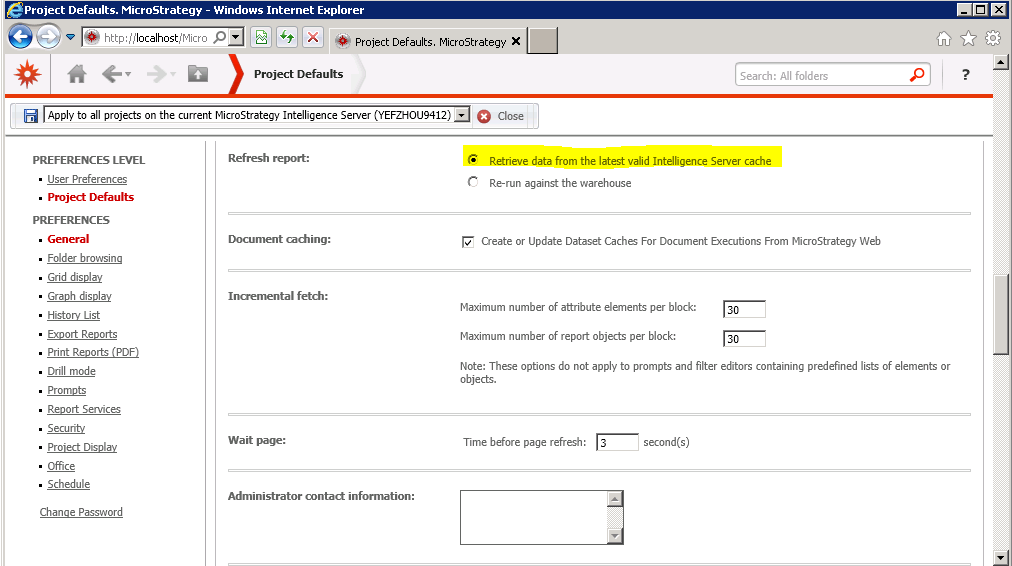
SUMMARY:
This issue has been classified as a defect by Strategy. The impact is limited to using Command Manager in Strategy 9.4.x. only when using the outline to change web preference option "Refresh Report". A workaround is available in the current document. A solution/code fix for this issue is not available in current releases but is being reviewed for a future Strategy release.
SYMPTOM:
Strategy 9.4.x Command Manager has outlines to change Web preferences. When trying to change the particular option "Refresh Report" using the Command Manager outline, the option does not reflect the change in Web even after restarting the Windows IIS service.
STEPS TO REPRODUCE:
Follow the steps below In Strategy Command Manager 9.4.1 to reproduce the issue.
APPLY WEBPREFERENCES NAME "Refresh report:"  VALUE "1" FOR USER "ADMINISTRATOR" TO PROJECT "Strategy Tutorial";


GRANT WEBCHANGEUSEROPTIONS TO USER "ADMINISTRATOR";
APPLY WEBPREFERENCES NAME "Refresh report:"  VALUE "1" FOR USER "ADMINISTRATOR" TO PROJECT "Strategy Tutorial";