SUMMARY:
A specific set of privileges is required to be able to access the User Manager located in Strategy Web 9.4.x. This is an update of KB36573, as the privileges necessary have changed between version 9.0.x and 9.4.x.
SYMPTOM:
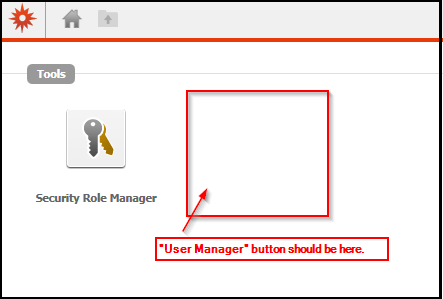
When a user attempts to log into the Intelligence Server Administration page in Web, they may encounter a log-in error or notice that the "User Manager" button is missing after they are able to log in.
ACTION:
There is an absolute minimum number of privileges necessary to access the User Manager interface in Strategy Web, as well some additional privileges that provide the user with specific control over different user and user group properties. In addition to having the correct privileges, the user must have the appropriate ACL permissions on whichever users/user groups they would like to be able to edit.
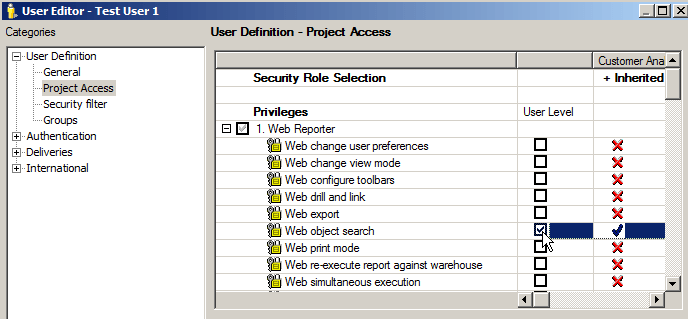
The following are the minimum privileges a user must have to access the User Manager in Web:
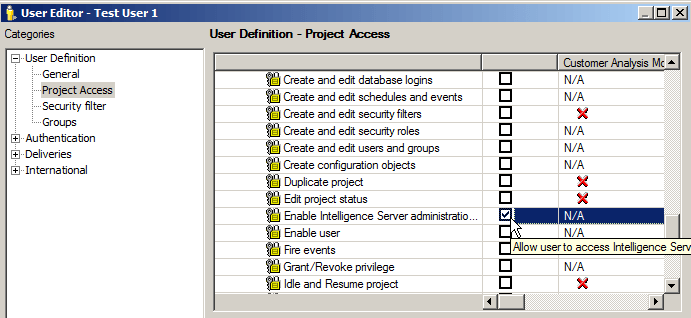
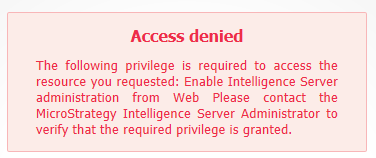
The following privilege is required to access the resource you requested: Enable Intelligence Server administration from Web Please contact the Strategy Intelligence Server Administrator to verify that the required privilege is granted.
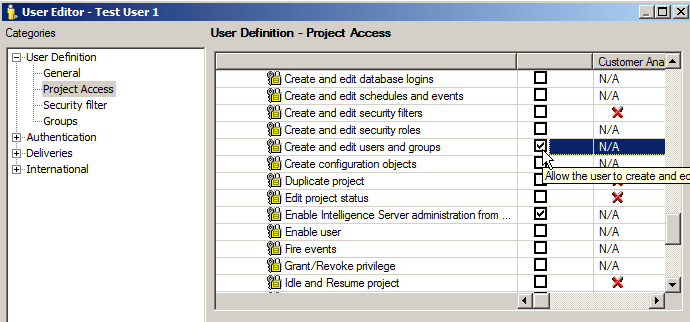
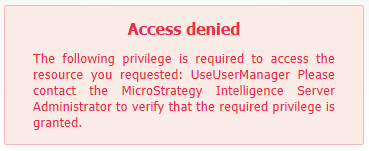
The following privilege is required to access the resource you requested: UseUserManager Please contact the Strategy Intelligence Server Administrator to verify that the required privilege is granted.
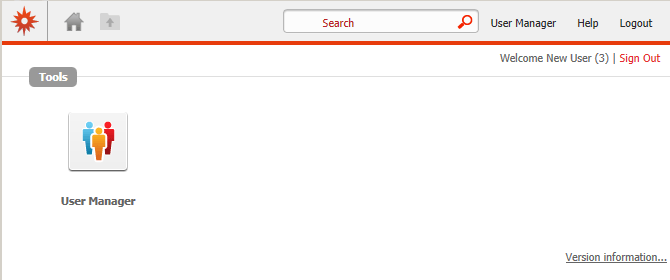
Once this privilege is enabled, the Intelligence Server Administration screen looks like the following:
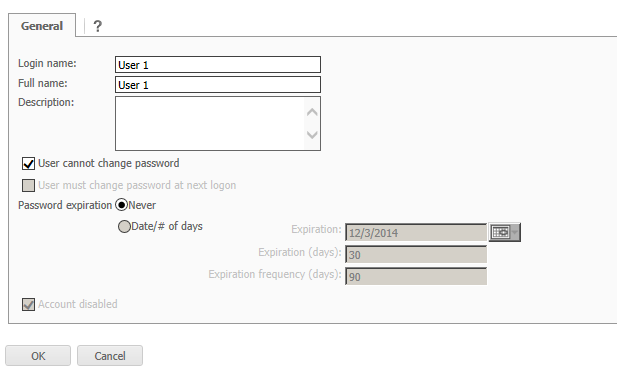
With only these three privileges, a user is able to access the User Manager in Web. With the minimum privileges the edit user window looks like the following:
However, without additional privileges the user will not be able to modify many user and user group properties. KB36573 describes many of these privileges in detail.
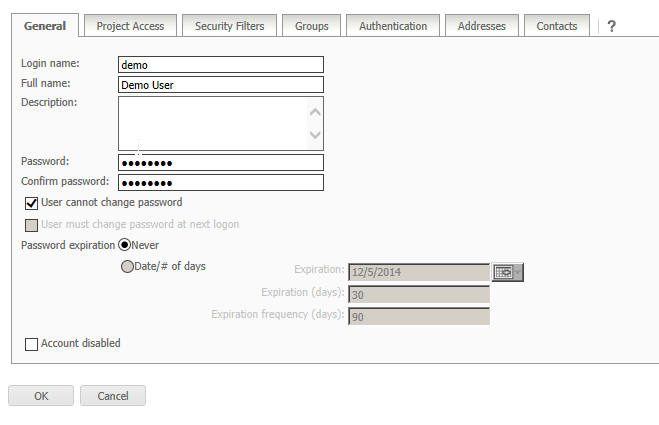
With all of these privileges and the appropriate ACL permissions, the Edit User window appears with all the following tabs:
KB413795
