QUESTION
Is it possible to use Windows authentication to login to a Microsoft SQL Server database when the Intelligence Server is on UNIX/Linux in Strategy 9.x and 10.x?
ANSWER
Beginning in Strategy 9.3.1, the ODBC drivers shipped with Strategy provide support for Windows/NT authentication to perform a login to a Microsoft SQL Server database when the Intelligence Server is on UNIX/Linux. Implementing this authentication method requires the following two parameters to be added to the Microsoft SQL Server DSN in the Strategy odbc.ini file:
AuthenticationMethod=9
Domain=WindowsDomainName
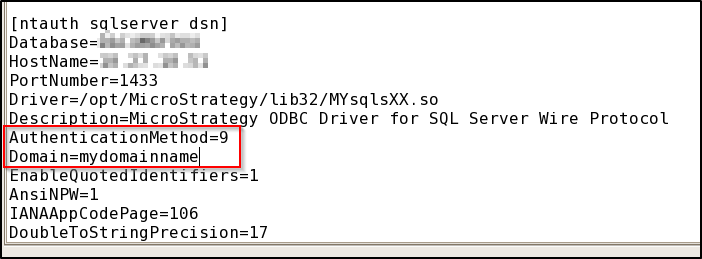
For example, to login as a domain user (such as "XYZ\testuser" with password "testpass"), set "AuthenticationMethod=9" and "Domain=XYZ" in the DSN and then login through Strategy with username "testuser" and password "testpass". The driver will automatically prepend the domain parameter to the username and the credentials will be sent to the database server for Windows/NT authentication.
