SUMMARY:
This technical note describes a defect when user change selector value in express mode, Google Map affinity lines color stop reading the threshold fill color.
SYMPTOM:
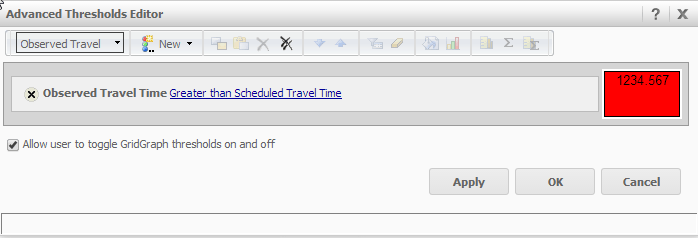
After create affinity lines for Google Maps in Strategy Web, user set a red threshold in the dataset and set a selector to changes the data in the dataset.
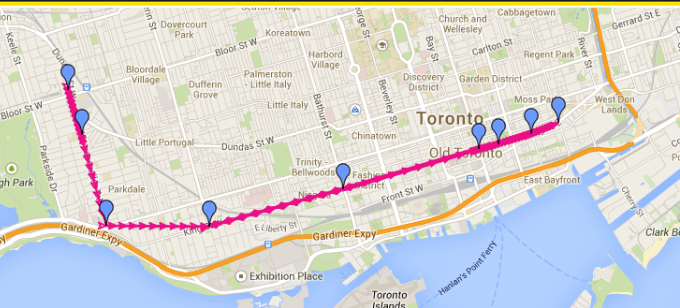
Run in express mode, note that the first render shows the correct color.

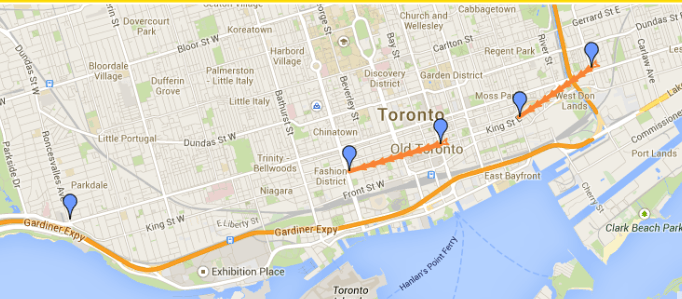
Changing the selector switches the color randomly between red, orange and pink.
CAUSE:
This is a know issue in Strategy 9.4.x.
ACTION:
As workaround, user can consider running the document in interactive mode. The issue does not occur in Interactive mode.
Currently this issue is still being reviewed for feasibility by our Technology team and it is not scoped for any upcoming scheduled Strategy release.
The Strategy Internal Reference Number for the issue discussed in this technical note is 779483.
TO LEARN MORE:
KB43123: How to use affinity lines for Google Maps in MicroStrategy Web 9.3.x - 9.4.x.
