SYMPTOM:
In Strategy Developer 9.x, when multiple metadata language function is enabled, the object name will duplicate when copy objects between multiple languages.
STEPS TO REPRODUCE:
1. In Tutorial Project, create a new project, add both English and German as project language;
2. Set user preferences language to be English, then create a metric named “Metric1”;
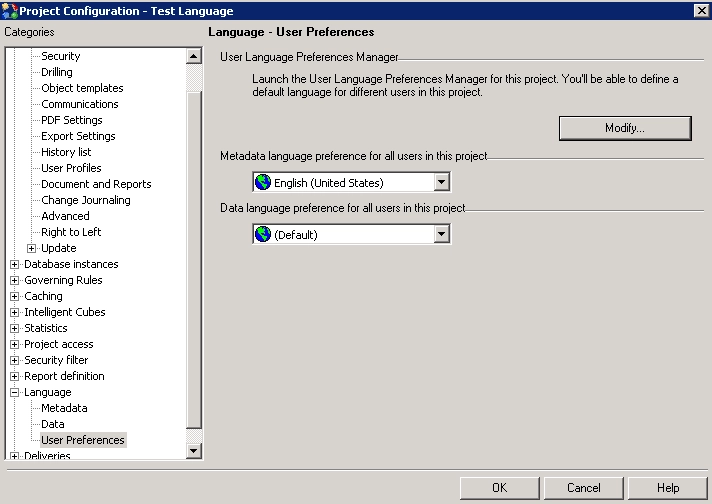
3. Change the user language to German, login again and copy the metric, the name will be “Copy of Metric1”;
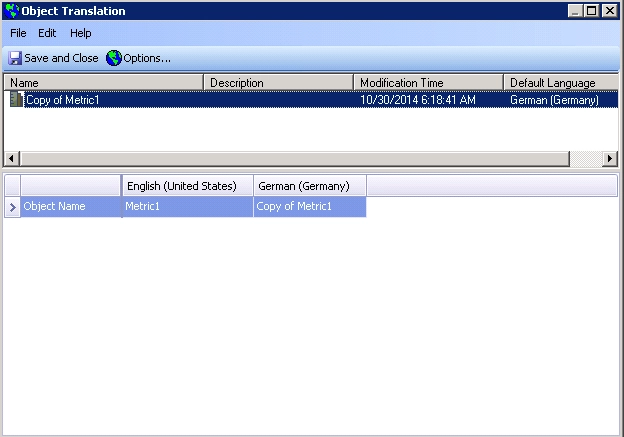
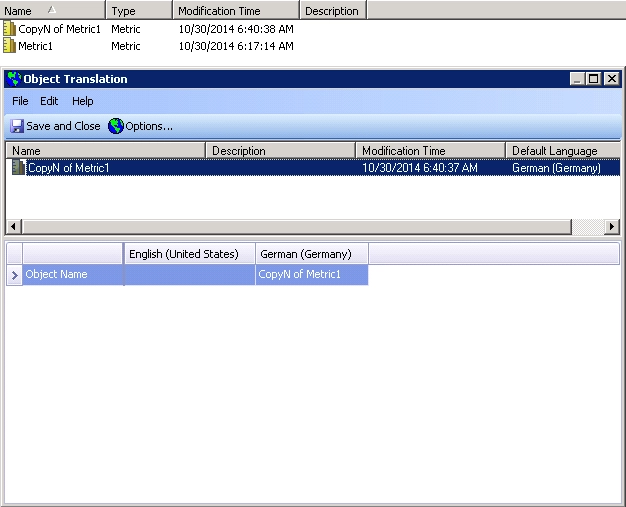
4. Right mouse click at metric “Copy of Metrc1” to open translation editor, notice that object name of German is modified to “Copy of Metric1”, while the English object name keeps to be “Metric1”;
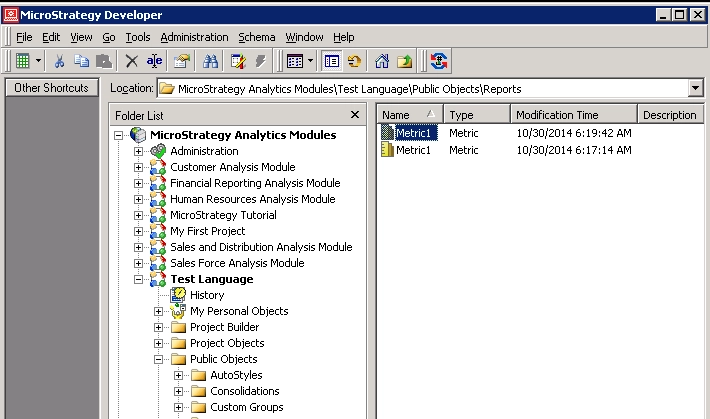
5. If switch to English preference, you will see two metrics named “Metric1”;
CAUSE:
It is a known issue in Strategy Analytics Developer 9.x.
ACTION:
Currently this issue is still being reviewed for feasibility by our Technology team and it is not scoped for any upcoming scheduled Strategy release.
WORKAROUND:
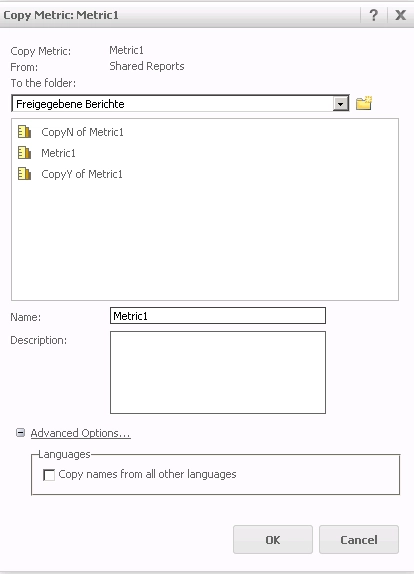
[+] Take advantage of Strategy Web, please ensure do not choose “Copy names from all other language” option.
The Strategy Internal Reference Number for the issue discussed in this technical note is 566079.
