EducationSoftwareStrategy.com
StrategyCommunity

Knowledge Base

Product

Community

Knowledge Base

TopicsBrowse ArticlesDeveloper Zone

Product

Download SoftwareProduct DocumentationSecurity Hub

Education

Tutorial VideosSolution GalleryEducation courses

Community

GuidelinesGrandmastersEvents
x_social-icon_white.svglinkedin_social-icon_white.svg
Strategy logoCommunity

© Strategy Inc. All Rights Reserved.

LegalTerms of UsePrivacy Policy
  1. Home
  2. Topics

KB217148: Threshold doesn’t work in affinity lines on iPad against MicroStrategy 9.4.1 iOS Update 4


Community Admin

• Strategy


If users enable affinity lines for Google Map, the applied threshold doesn’t work on iPad against MicroStrategy 9.4.1 iOS Update 4.

SYMPTOM:
If users enable affinity lines for Google Map, the applied threshold doesn’t work on iPad against Strategy 9.4.1 iOS Update 4.
STEPS TO REPRODUCE:
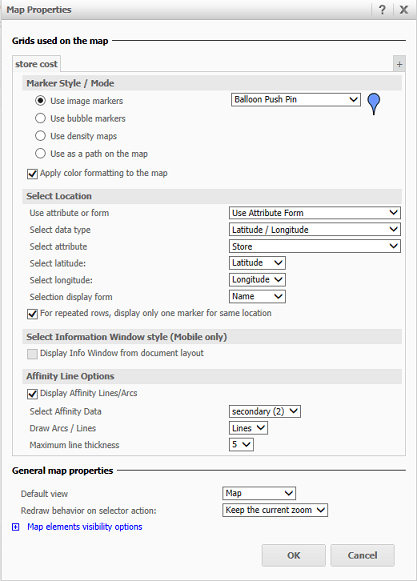
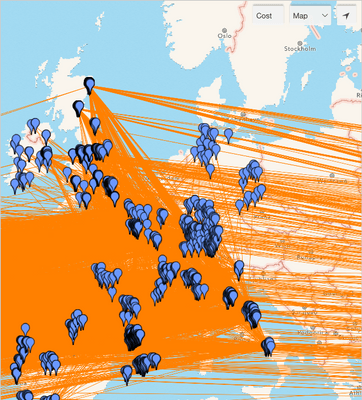
  • Insert Google Map to a report services document and enable affinity lines. 
ka04W000000OdXIQA0_0EM440000002A1q.jpeg
  • Apply threshold to the affinity lines and make sure it works in Strategy Web. 
ka04W000000OdXIQA0_0EM440000002A1l.jpeg
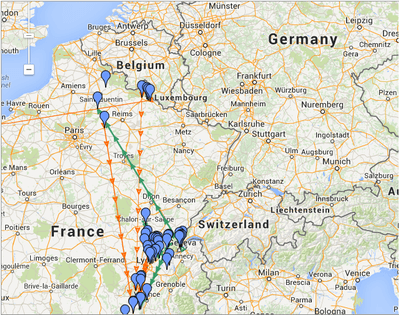
  • Execute the report services document on iPad against Strategy 9.4.1 iOS Update 4.
  • The affinity lines only show one color.
ka04W000000OdXIQA0_0EM440000002A1n.jpeg

CAUSE:
This is a known issue of Strategy 9.4.1 iOS Update 4.
ACTION:
This issue has been addressed in Strategy Mobile 9.4.1 iOS Update 5 . Upgrade to this version or later to take advantage of this fix.
 
The Strategy Internal Reference Number for the issue discussed in this technical note is 947924.


Comment

0 comments

Details

Knowledge Article

Published:

April 7, 2017

Last Updated:

April 7, 2017