SUMMARY:
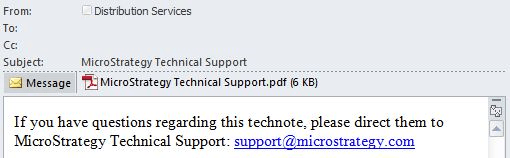
This technical document discusses how to format the message section for an e-mail subscription using Strategy Web 9.4.1. The below sample can be achieved using HTML code:
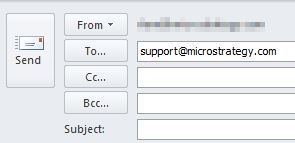
When users click on the above link, an e-mail editor should appear with the support@Strategy.com e-mail already populated into the To: section:
To set up an e-mail message as seen above, follow these steps:
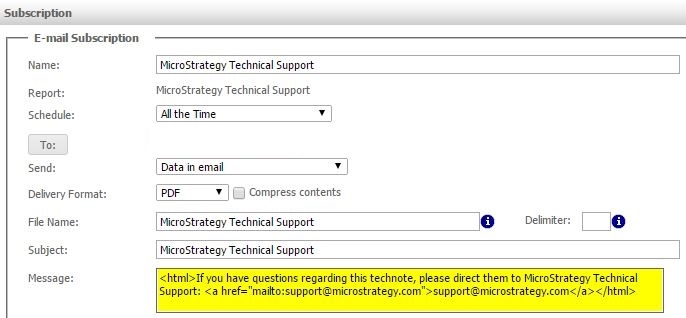
<html>If you have questions regarding this technote, please direct them to Strategy Technical Support: <a href="mailto:support@Strategy.com">support@Strategy.com</a></html>
Other HTML tags can be used such as <b></b>, <i></i>, or <font></font> to set bold, italics, or font respectively.
