How to set up interactive PDF (Flash functionality in PDF) for a dashboard delivered through Distribution Services in Strategy Analytics Enterprise 9.4.1?
Follow the steps below to set up interactive PDF (flash functionality in PDF) for dashboards delivered through Distribution Services in Strategy Analytics Enterprise 9.4.1?
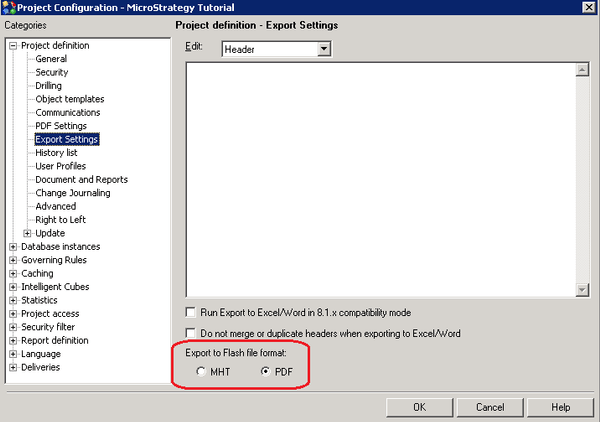
1. Go to Project Configuration > Project Definition > Export Settings > Export to Flash file format option and select option 'PDF' and save it.
2. Re-start the Web Server service connected to the given project.
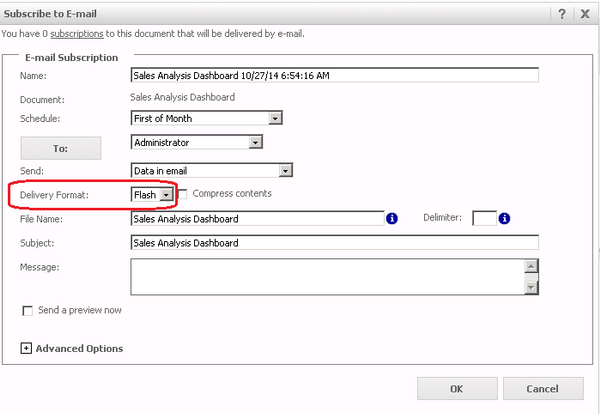
3. From Strategy Web, create a file/email subscription for a dashboard and choose Flash as the delivery format.
4. In the received email, a PDF file is attached while the flash functionality is available in this PDF.
