EducationSoftwareStrategy.com
StrategyCommunity

Knowledge Base

Product

Community

Knowledge Base

TopicsBrowse ArticlesDeveloper Zone

Product

Download SoftwareProduct DocumentationSecurity Hub

Education

Tutorial VideosSolution GalleryEducation courses

Community

GuidelinesGrandmastersEvents
x_social-icon_white.svglinkedin_social-icon_white.svg
Strategy logoCommunity

© Strategy Inc. All Rights Reserved.

LegalTerms of UsePrivacy Policy
  1. Home
  2. Topics

KB218718: "This grids in this document have more than 100,000 cells and are too big to be rendered” error appears when refreshing a document using MicroStrategy Mobile iOS 9.4.1 Update 2,3, and 4


Community Admin

• Strategy


This issue has been classified as a defect by MicroStrategy. The impact is limited to MicroStrategy Web 9.4.1 iOS Update 2, 3, and 4 where a user refreshes a document against the warehouse from the MicroStrategy Mobile app. There is no workaround available for this issue but it has been addressed in MicroStrategy Mobile 9.4.1 Update 5.

SYMPTOM:
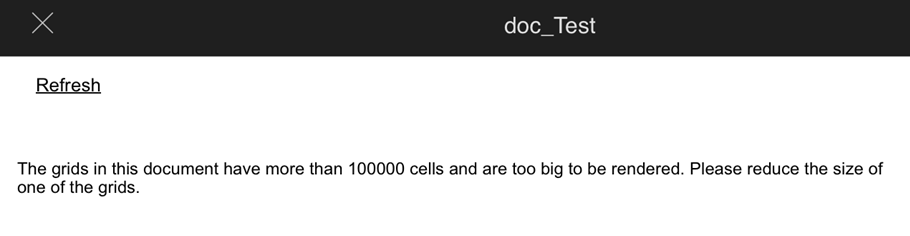
A user runs a document in Strategy Mobile 9.4.1 iOS Update 2, 3, and 4 with one grid that contains less than 100,000 cells. After running the document, the grid displays data correctly. However, when using the Strategy Mobile URL API to refresh a document without hitting cache, the following error occurs:
ka04W000001MKl6QAG_0EM440000002A0u.jpeg


The grids in this document have more than 100,000 cells and are too big to be rendered. Please reduce the size of one of the grids.
If the user refreshes the document again, it returns data once again.
 
STEPS TO REPRODUCE:

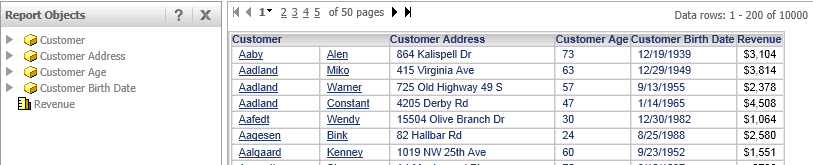
  • In Strategy Tutorial, create a report with the Customer, Customer Address, Customer Age, and Customer Birth Date attributes, and the Revenue metric.
  • Run the report. It returns 10,000 rows. There are 6 columns on the grid, that adds up to 60,000 cells:
ka04W000001MKl6QAG_0EM440000002A0v.jpeg
  • Create a document from this report and add a grid that contains all objects from the dataset.
  • Add a textbox and name it as "Refresh".
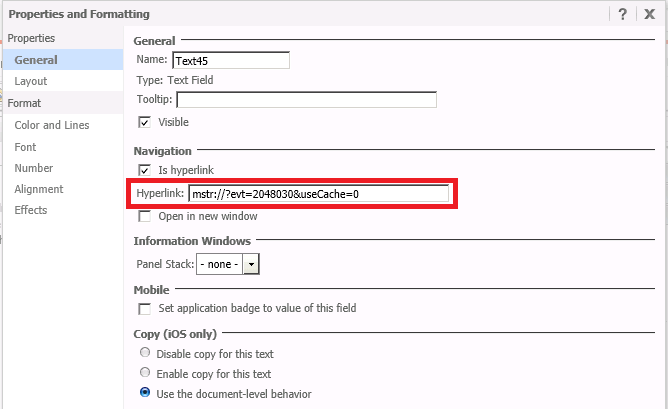
  • Configure the textbox to refresh the data against warehouse and create a new cache in i-Server using the following URL API:
ka04W000001MKl6QAG_0EM440000002A17.jpeg
  • 
    mstr://?evt=2048030&useCache=0

    Note: Refer to the following technical note for more information about the evt=2048030 and useCache parameters:
    KB44852: How to Purge Server Cache and Refresh a Report Service Document Against Warehouse from Mobile App
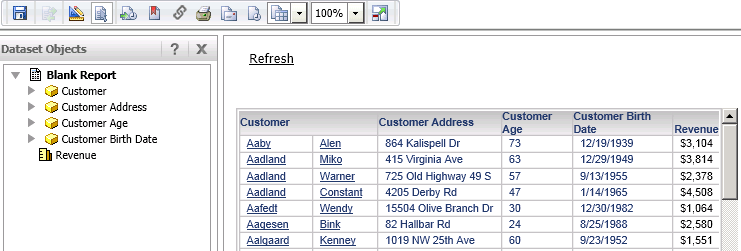
  • Run the document. It should look like the document on the image below:
ka04W000001MKl6QAG_0EM440000002A1N.jpeg
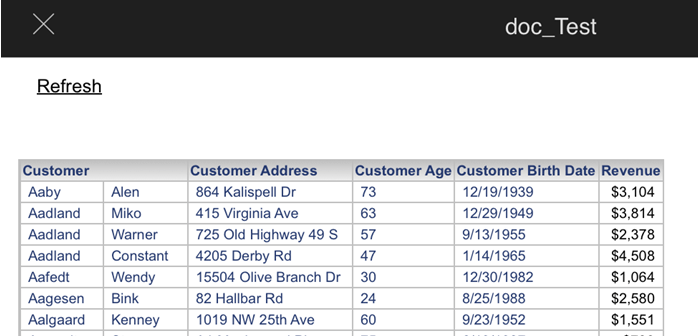
  • Open Strategy Mobile 9.4.1 Update 2 app on iPad and execute the document. Data returned as shown below:
ka04W000001MKl6QAG_0EM440000002A1F.jpeg
  • Click on the "Refresh" textbox to execute the Strategy Mobile URL API. The error appears informing that there are more 100,000 cells in the grid which is not true.
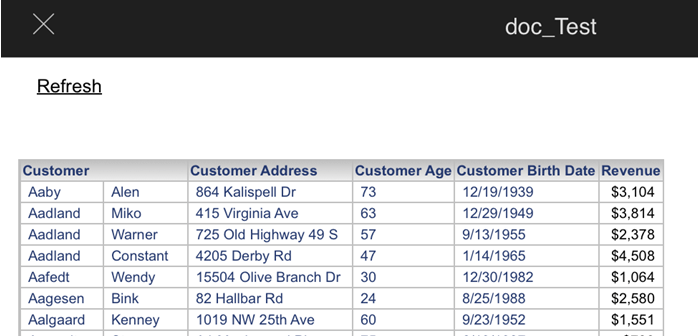
  • Refresh the document again, the grid is displayed:
ka04W000001MKl6QAG_0EM440000002A16.jpeg

 
CAUSE:
This is an identified defect in Strategy Mobile 9.4.1 iOS Update 2, 3 and 4 versions. 
 
ACTION:   
This issue has been addressed in Strategy Mobile 9.4.1 iOS Update 5. Upgrade to this version to take advantage of this fix.


Comment

0 comments

Details

Knowledge Article

Published:

April 10, 2017

Last Updated:

April 10, 2017