EducationSoftwareStrategy.com
StrategyCommunity

Knowledge Base

Product

Community

Knowledge Base

TopicsBrowse ArticlesDeveloper Zone

Product

Download SoftwareProduct DocumentationSecurity Hub

Education

Tutorial VideosSolution GalleryEducation courses

Community

GuidelinesGrandmastersEvents
x_social-icon_white.svglinkedin_social-icon_white.svg
Strategy logoCommunity

© Strategy Inc. All Rights Reserved.

LegalTerms of UsePrivacy Policy
  1. Home
  2. Topics

KB219735: How to publish Intelligent Cubes using Task Administrator in MicroStrategy Web


Community Admin

• Strategy


How to publish Intelligent Cubes using Task Administrator in MicroStrategy Web

In Strategy Web, it is possible to publish an Intelligent Cube using the task "qbuilder.PublishCube".
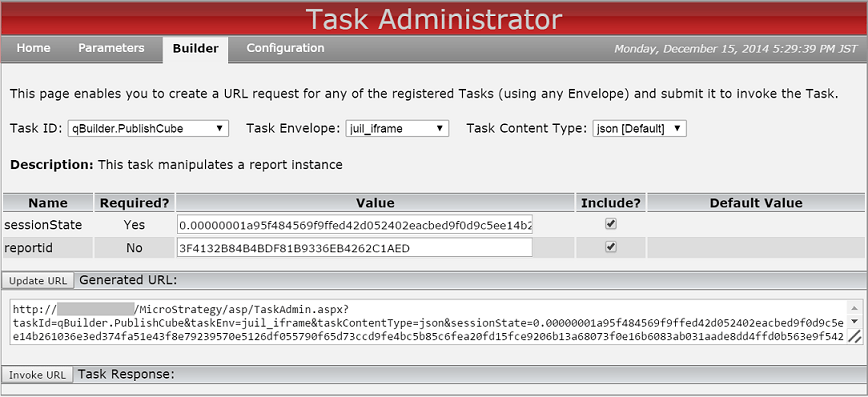
Complete the "sessionState" field (e.g. after executing the Login task), and type the GUID of the Intelligent Cube into the "reportid" field, as shown below:
ka04W000000OfpYQAS_0EM440000002I76.png

 
Check both checkbox to include the parameters and update URL. Invoke the URL to publish cube.


Comment

0 comments

Details

Knowledge Article

Published:

April 6, 2017

Last Updated:

July 21, 2017