EducationSoftwareStrategy.com
StrategyCommunity

Knowledge Base

Product

Community

Knowledge Base

TopicsBrowse ArticlesDeveloper Zone

Product

Download SoftwareProduct DocumentationSecurity Hub

Education

Tutorial VideosSolution GalleryEducation courses

Community

GuidelinesGrandmastersEvents
x_social-icon_white.svglinkedin_social-icon_white.svg
Strategy logoCommunity

© Strategy Inc. All Rights Reserved.

LegalTerms of UsePrivacy Policy
  1. Home
  2. Topics

KB219862: 'Invalid Expression' error is encountered when 'INTERSECT' operator is used in Custom expression editor in MicroStrategy Developer 9.x.


Stefan Zepeda

Salesforce Solutions Architect • Strategy


This issue is classified as a defect with MicroStrategy Developer 9.x. This will hinder users from using a filter that contains the 'Intersect' operator. When creating a filter that uses an 'Intersect' operator to compare and collect co-existing data between two or more attributes, an 'Invalid Expression' error occurs upon trying to validate the expression, making it impossible for the user to create a valid filter.

SUMMARY:
This issue is classified as a defect with Strategy Developer 9.x. This will hinder users from using a filter that contains the 'Intersect' operator. When creating a filter that uses an 'Intersect' operator to compare and collect co-existing data between two or more attributes, an 'Invalid Expression' error occurs upon trying to validate the expression, making it impossible for the user to create a valid filter.
 
SYMPTOM:
 
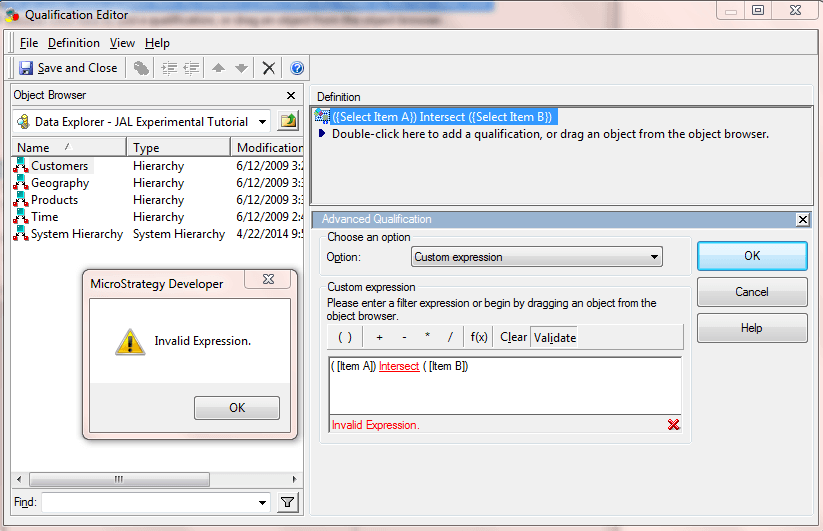
When a user uses the 'INTERSECT' operator in a custom expression in the filter editor in Strategy 9.x, the Qualification editor presents an 'Invalid Expression' error and does not validate the custom expression function.
 

ka02R000000kaUNQAY_0EM440000002CBI.jpeg

 
STEPS TO REPRODUCE:
 

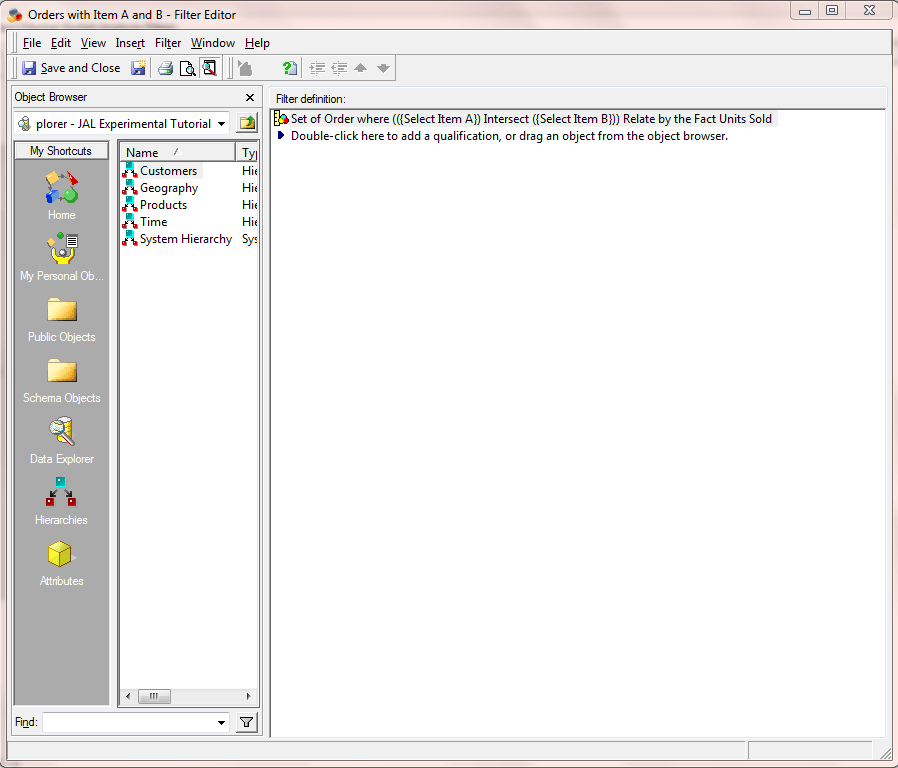
  • In Strategy Tutorial, navigate to Public Objects > Filters > Market Basket Analysis Filters and edit the filter named 'Orders with Item A and B'.
ka02R000000kaUNQAY_0EM440000002CBM.jpeg
  • Double click on the Qualification to edit the Set Qualification.
ka02R000000kaUNQAY_0EM440000002CBK.jpeg
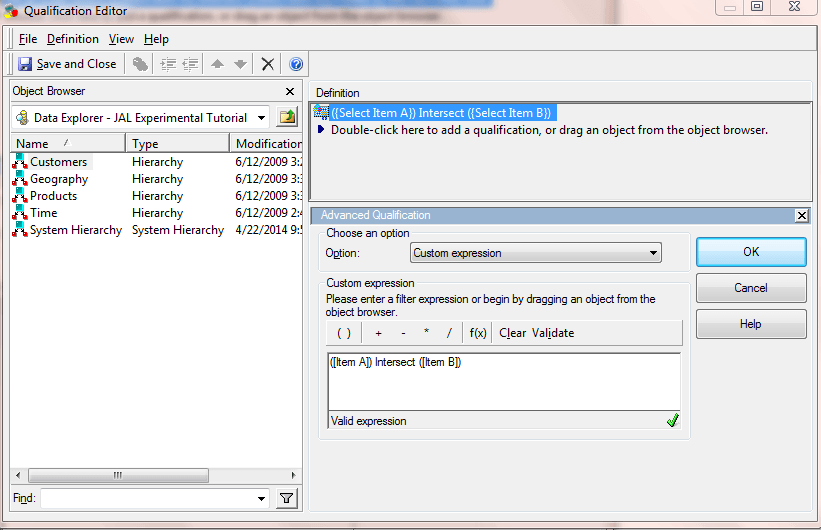
  • Click 'Modify' to pen the Qualification Editor.
ka02R000000kaUNQAY_0EM440000002CBF.jpeg
  • Double click on the expression to open the Advanced Qualification/Custom Expression Editor.
ka02R000000kaUNQAY_0EM440000002CBG.jpeg
  • Click 'Validate' and 'Invalid Expression' error is encountered.
ka02R000000kaUNQAY_0EM440000002CBO.jpeg

 
CAUSE:
 
This is a known issue in Strategy Developer 9.x.
 
ACTION:
 
Currently this issue is still being reviewed for feasibility by our Technology team and it is not scoped for any upcoming scheduled Strategy release.
 
The Strategy Internal Reference Number for the issue discussed in this technical note is 976886.


Comment

0 comments

Details

Knowledge Article

Published:

April 17, 2017

Last Updated:

April 17, 2017