Summary:
This technical note describes if the parent attribute will be kept when the “Default” option is selected, and how to change the default behavior. This is possible by changing the behavior in the drill path. This information impacts reports and documents developed in Strategy 9.x and later.
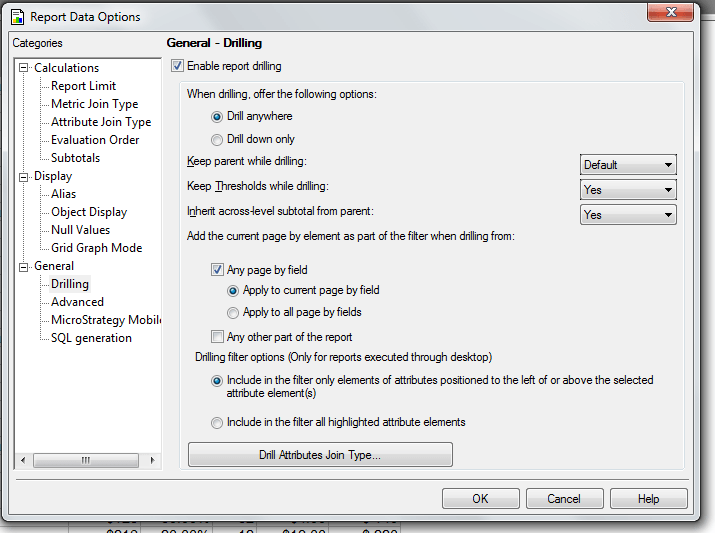
“Keep Parent While Drilling” is an option that allows the user to retain the parent attribute on the grid once it has been drilled upon. For example, if you drill from State to City, and this option is selected, State remains on the report when City is displayed. This is automatically set to “Yes”, however users have the option to select “Default” from the dropdown selector.
Question:
What is the behavior of the “default” selection, and can it be changed?
Answer:
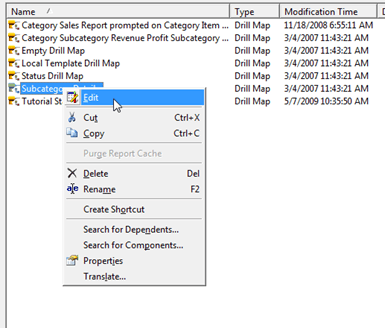
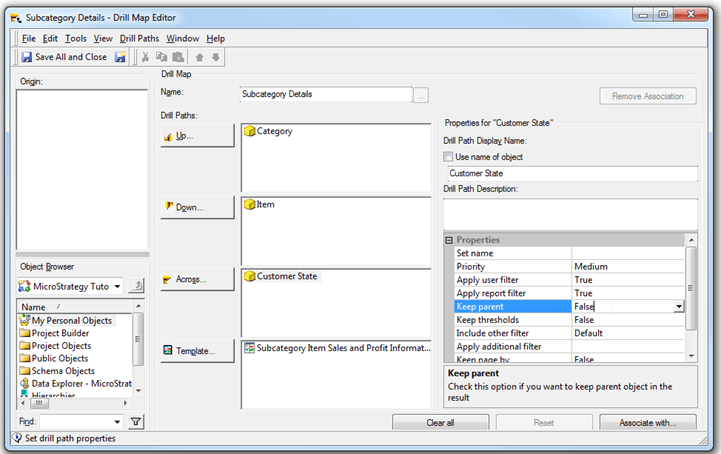
When “Default” is selected, the “Keep Parent While Drilling” option will revert to whatever is set for this option in the attribute’s drill path, rather than a system or project-wide default. To change this behavior of the “default” selection on the report level, users must change that attribute’s drill path.
VIDEO:
This option can be very useful as allows users enable or disable this option on an Attribute by Attribute basis.
