SUMMARY
The Advanced Sorting feature is used to define a custom way in which the returned data is sorted and presented to the end user. Within the Advanced Sorting definition the Criteria field exists that needs to be set in some scenarios, and shows up when an object exists above or below the metrics. There may exist some scenarios in which the Criteria behavior may not behave as expected or desired. This tech note aims to explain this feature in further detail.
DEFINITIONS AND DESCRIPTION
The Criteria Field:
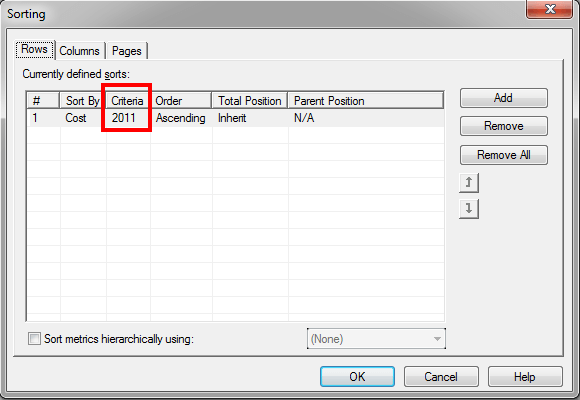
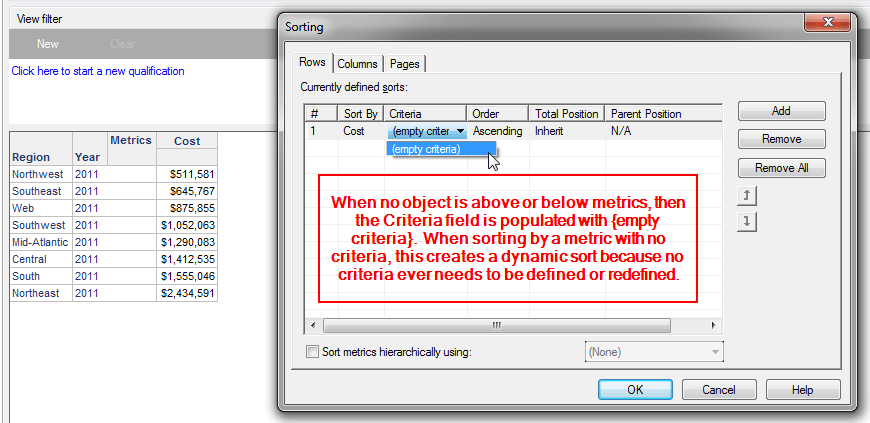
Users may not experience the Criteria field or its behaviors if no objects are ever above or below the metrics. This type of report design results in a sort that is dynamic in nature based on the data on the grid. This type of definition and design of the sort is dynamic in nature because the metrics are not categorized by elements of an object, so any filter or slice of the data will be affected by the sort definition for objects on the grid.
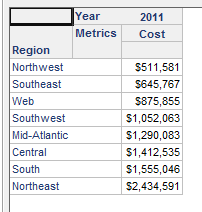
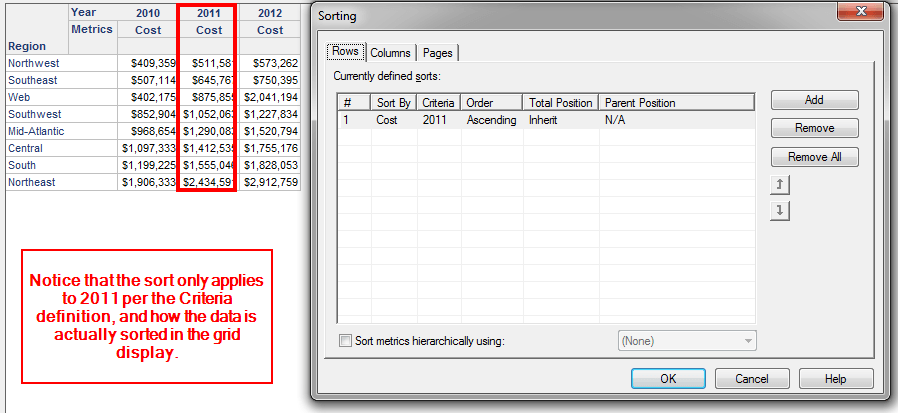
When objects are used above or below metrics to provide additional context, comparison, or difference in time, then the Criteria field will come into play if a sort is defined. Whenever a sort is defined in this type of report design, whether explicitly in the Advanced Sorting window or via right click, then this manually creates a sorting definition based on the current Criteria above or below the metric that was sorted. As a result, if a new filter or slice is created, the new display of data may not be affected by the sort definition because the criteria defined in the sort definition may not match or apply to the current report display elements of the objects above or below the metrics being sorted.
STEPS TO REPRODUCE
(1) Report with Advanced Sort using Criteria field
(2) Report with Advanced Sort not using Criteria field
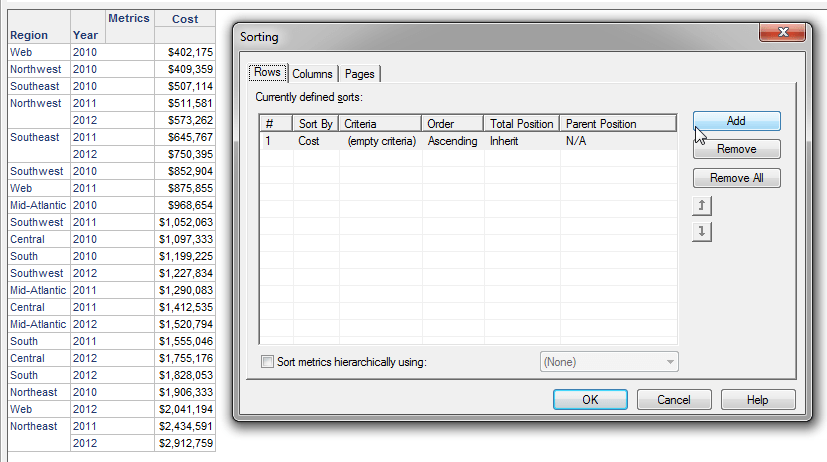
CAUSE
The main cause to be aware of is when elements exist above or below the metrics, and a Criteria setting is necessary to sort the data. It is expected that the elements defined in the sort do not dynamically update or change based on filters, slices, or prompts in the report. This is because a sort definition is set manually post-execution – either via Advanced Sorting menu, or via right clicking on specific objects to sort in the grid. There is no way to populate the Criteria setting in the Advanced Sorting window with a dynamic placeholder for a specific object that would operate like dynamic text would in a report services document.
This is by design because when an object exists above or below the metrics, it creates multiple instances of that metric per each element of the object that categorizes them. When you then set a sort based on that metric, you have to tell the engine which instance of that metric to sort.
When no objects exist above or below the metrics, multiple instances of that metric are not created, thus the sort becomes dynamic since it is only applying to the single column that the metric outputs.
ACTION
Identify how your sort needs to be defined, and how the user expects the data to be sorted or displayed.
TO LEARN MORE
More information about Advanced Sorting can be found in the Advanced Reporting Guide product manual in Chapter 7: Designing Reports.
