EducationSoftwareStrategy.com
StrategyCommunity

Knowledge Base

Product

Community

Knowledge Base

TopicsBrowse ArticlesDeveloper Zone

Product

Download SoftwareProduct DocumentationSecurity Hub

Education

Tutorial VideosSolution GalleryEducation courses

Community

GuidelinesGrandmastersEvents
x_social-icon_white.svglinkedin_social-icon_white.svg
Strategy logoCommunity

© Strategy Inc. All Rights Reserved.

LegalTerms of UsePrivacy Policy
  1. Home
  2. Topics

KB220162: Report does not automatically scroll horizontally when dragging and dropping columns beyond the page view in MicroStrategy Web 9.4.1.


Community Admin

• Strategy


Report does not automatically scroll horizontally when dragging and dropping columns beyond the page view in MicroStrategy Web 9.4.1.

SUMMARY:
This is an issue that occurs for users creating reports with many columns. The impact is limited to Strategy Web 9.4.1 and has been reproduced in multiple web browsers. This document outlines the steps to reproduce this issue and a fix is provided.
SYMPTOM:
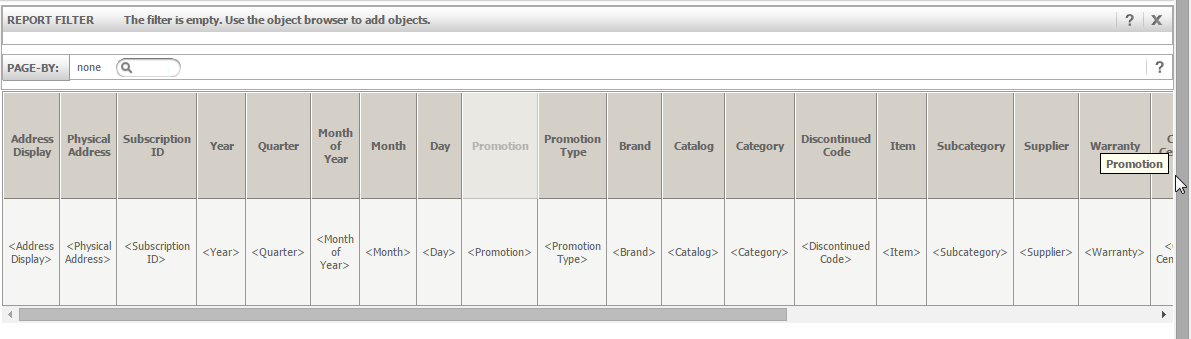
Users may find it necessary to create a report that contains many columns. In some instances, columns may extend beyond the field of view on the report browser. Users who wish to drag a visible column to a position outside the field of view are unable to, as the report does not automatically scroll horizontally. Users are unable to easily move columns to positions outside of the current page view.
 
STEPS TO REPRODUCE:
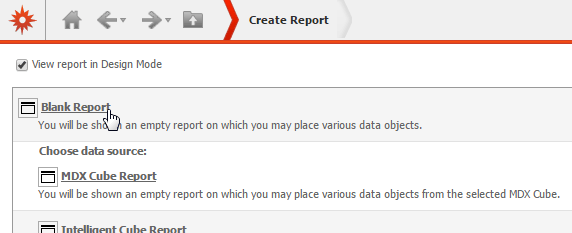
  • Create new report in Strategy Web 9.4.1

ka04W000000Oc1BQAS_0EM4400000025r8.jpeg
  • Add many attributes and metrics to report grid, enough objects that the report grid displays a scroll bar.

ka04W000000Oc1BQAS_0EM4400000025r3.jpeg
  • Attempt to drag a column from the current field of view to the far right of the grid.

ka04W000000Oc1BQAS_0EM4400000025qt.jpeg
  • The report does not automatically scroll to the left

ka04W000000Oc1BQAS_0EM4400000025qr.jpeg
  • Users will only be able to drop the column near the left side of the screen, manually scroll over, and repeat until the column reaches the desired location.

ka04W000000Oc1BQAS_0EM4400000025qq.jpeg

 
VIDEO: 
 
 
CAUSE:
This issue has been clasified as a defect in versions of Strategy 9.4.1.
 
ACTION:
This issue has been fixed in Strategy 9.4.1 Hotfix 7. Apply the Hotfix to take advantage of this functionality.


Comment

0 comments

Details

Knowledge Article

Published:

May 30, 2017

Last Updated:

May 30, 2017