SYMPTOM:
A metric object added via object prompt is unexpectedly relocated after saving a prompted report in Strategy Developer 9.4.1
STEPS TO REPRODUCE:
1. Create an object prompt named OP1 with the Year, Region, and Category attributes
2. Create another object prompt named OP2 with the Cost and Revenue metrics
3. Create a report with the following objects
3a. Year, Region, and OP1 to the rows
3b. Cost and OP2 to the columns
3c. Create a derived metric named "Derived Metric" whose definition is (Cost/10)
3d. Remove the Region attribute from the grid (exist in Report Objects)
3e. Remove the Cost metric from the grid
4. After Step 3, the grid objects are Year and OP1 in the rows and Derived Metric and OP2 in the columns as shown below:

5. Save this report and run it.
6. Choose all elements in both prompts and execute.
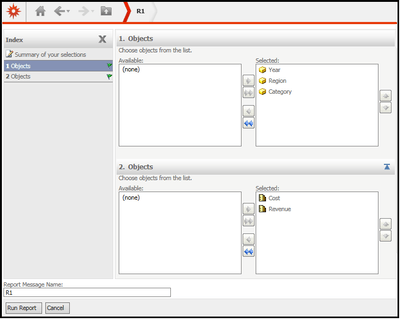
7. Remove the Category and Region attributes from the grid
8. Move the Cost metric to the left of Derived Metric

9. Save and give a new report name with the following options
- Save report as prompted
- Filter and template will be prompted
- Set the current prompt answers to be the default prompt answers
10. Run the newly saved report with the default prompt answers . The Revenue metric is unexpectedly relocated to the left of Derived Metric.

CAUSE:
This is a known issue in Strategy Developer/Web 9.4.1.
ACTION:
This issue has been addressed in Strategy 10.
